In depth
A closer look at Recording Studio Lite
Recording Studio is a multi-touch sequencer for Android devices.
Designed for quick and simple operation, Recording Studio makes recording, editing and mixing a breeze.
Recording Studio is the perfect way to create great sounding music productions.
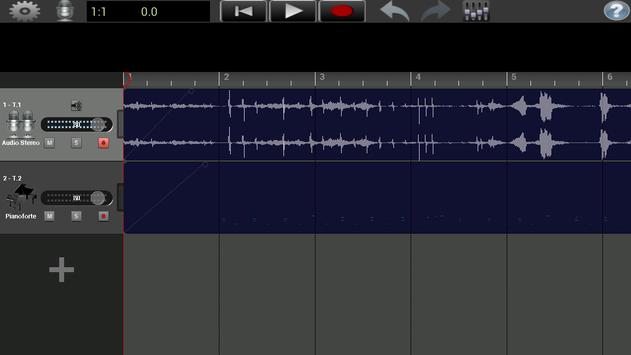
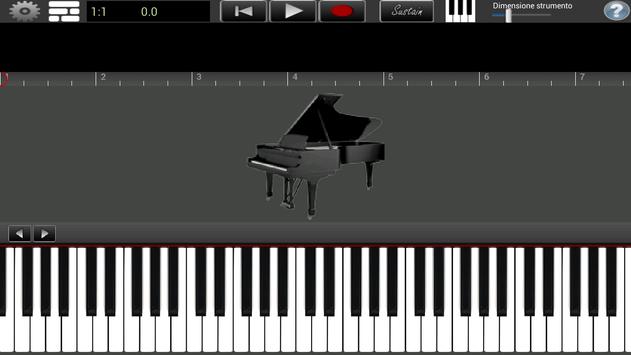
With this free version you can record up to 2 tracks (24 tracks with the Pro version) by choosing between audio recordings or by using the virtual instrument 'Grand Piano' (in the Pro vesion there are 8 other virtual instruments: drums, classical guitar, rock organ, pipe organ, bass, strings, harpsichord, electric guitar).
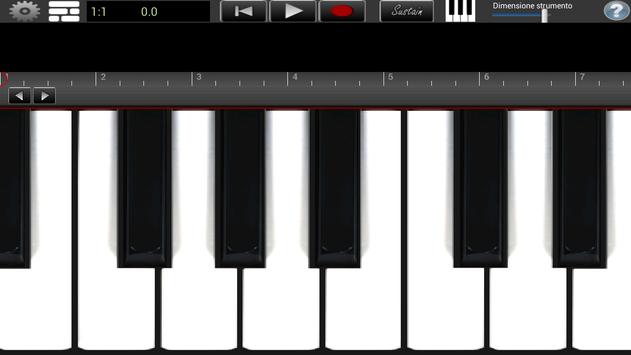
The virtual instrument tracks can be recorded using the multitouch keyboards optimized for high performance and responsive touch.
The audio tracks can be recorded using the built-in microphone or by connecting an external microphone.
After recording your tracks, you may want to edit them in the integrated sample editor (copy/paste, split, loop, fader, reverb).
Now you can import mp3 and wav audio files from your hard drive.
Recording studio is constantly being updated and continually improved with new features.
Features
-Up to 2 tracks (24 tracks with the Pro version) choosing between audio recordings or the virtual instrument 'Grand Piano'
-In this free version you can use without limitation the sounds of virtual instrument 'Grand Piano' (in the Pro vesion there are 8 other virtual instruments: drums, classical guitar, rock organ, pipe organ, electric guitar
-Mixer with built-in realistic reverb effect (with independent settings on each track)
-ey Editor (delete, copy/paste each single note)
-Sample editor: copy/paste, split, loop, fade-in/fade-out each audio recording session
-Stereo VU displays for all channels
-96 keys and 8 selectable octaves
-Multi-touch keyboards and virtual instruments.
-Two sets of keyboards (display 1 or 2 keyboards)
-eyboard mappings (two ways of displaying key value)
-Ability to scroll the keyboards in the scrollbar area or with arrow buttons to see different sets of keys
-Custom scale keyboards
-Configurable metronome. Tempo: 30 - 260 BPM. Time Signatures: 1/4, 2/4, 3/4, 4/4, 5/4, 6/4, 7/4, 8/4
-Import mp3 and wav audio files from hard drive.
__
- TRY THE NEW VERSION!
If you have a device that meets one of these 2 requirements:
1) Device with Android Oreo.
or
2) Samsung device with Samsung Professional Audio (SAPA) technology (with Android Marshmallow 6 or Android Nougat 7).
Phone: Galaxy S5, S5 Neo, S6, S6 Edge, S6 Edge Plus, S6 Active, S7, S7 Edge, S7 Active, S8, S8 Edge, S8 +, Note 8, S8 Active, Note 4, Note Edge, Note 5, Notes FE (orea only), A5 2016, A7 2016, A8 2016, A9 2016, A9 Pro 2016, A3 2017, A5 2017, A7 2017, J7 2016, J7 Pop (for Qualcomm chipset device, Android 7.0 or later version), J3 2017, J5 2017, J7 2017, C5 Pro, C7 Pro, C9, C9 Pro, On7, A8, A3 2016 (Android 7.0 OS or later version), J7 Lite (Android 7.0 OS or later version)
Tablet: Galaxy Tab S, Tab S2, Tab S3, View, Note 10.1 2014 (Anroid 5.x or Later Version), Tab A 10.1 2016. Tab A with Pen 10.1 2016
then try Recording Studio Pro Plus:
Requirements
Device requirements
Android 4.4+
Verdict
Should you install Recording Studio Lite?
Recording Studio Lite is an Android application available under the
Freeware
license — the APK is 121.6 MB.
We’ve catalogued it under
Multimedia.
✓
Verified clean. Every Recording Studio Lite APK on SoftLookup is scanned for malware, spyware, and adware. We re-test on every update.
Sponsored
At a glance
Recording Studio Lite specifications
- Publisher
- Glauco
- Last updated
- May 5, 2026
- Requirements
- Android 4.4+
- License
- Freeware
- Operating system
- Android
- File size
- 121.6 MB
- Price
- Free
- Page views
- 1570
Sponsored
Help fellow users decide. Share your experience with Recording Studio Lite.