Android · Free download · Productivity
Chrooma Keyboard1.3.10
- Operating system
- Android
- File size
- 27.97 MB
- License
- Freeware
- Last updated
- May 5, 2026
29 downloads·866 page views
Android · Free download · Productivity
29 downloads·866 page views
Screenshots
In depth
Chrooma eyboard is powered by a smart artificial intelligence that provides you a better contextual prediction. Chrooma has a new exclusive neural action row that helps you with emojis , numbers and punctuations suggestions ! And if emojis are not enough for you, with Chrooma eyboard you can search and send all the GIF you want! Chrooma eyboard always fit your style thanks to its high level of personalization (themes, font styles, emoji styles, keyboard size ) Adaptive Theme
Chrooma eyboard features numerous adaptive and colourful keyboard themes. All the themes are elegant and will fit your phone style. But Chrooma eyboard is not just a beautiful keyboard it's also a smart productivity tool.
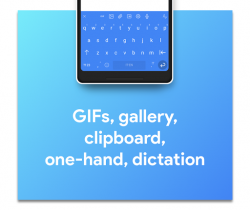
These are just some of the most cool features you will find in Chrooma eyboard : GIF search
With Chrooma eyboard you have a dedicate GIF tab to search and send all the GIFs you want! Chrooma's GIF are supported by almost every app. Emojis Support
Our keyboard supports automatic emojis suggestion and helps you by providing you your most used emojis .
Chrooma is always updated to support the latest emojis available. Colored Navbar
Chrooma eyboard automatically changes the color of your navbar according to the app you are using Gestures Integrated
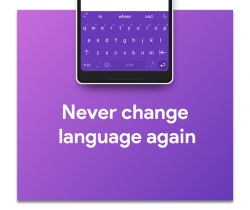
A lot of gesture, to fast delete, delete all, move cursor, fast selection! Multilanguage typing
With Chrooma eyboard you can write in multiple languages simultaneously without having to switch the keyboard every time. One Hand Mode and Split Layout
Activate the one hand mode to type faster with just one thumb!
Do you have a large screen? The split layout will help you typing faster ! Gesture typing
Tired of tapping ? You can write everything just by swiping your thumb over the keyboard. Night Mode
Chrooma eyboard can change automatically the color tone when low light is detected.
You can also set a timer and program the night mode.
A fully customizable keyboard app that quickly adapts to your needs pchrooma keyboard. For example you can alternate between the classic two-handed keyboard and the one-handed keyboard with a single movement.
in the settings options for chrooma keyboard, you can radically change your keyboard style, choosing from among different colors and font types. Plus one of the most attractive features of the keyboard is that it adapts the color to the app you use in any given moment. Other interesting features of the chrooma keyboard include advanced word prediction since the more you write the better the predictions are or the ability to use emojis directly from the keyboard.
chrooma keyboard is a powerful keyboard app with a wide variety of features, many customization options and a beautitul interface.
Verdict
Chrooma Keyboard is an Android application available under the Freeware license — the APK is 27.97 MB. We’ve catalogued it under Productivity.
At a glance
Help fellow users decide. Share your experience with Chrooma Keyboard.