In depth
A closer look at Speech To Text Notepad
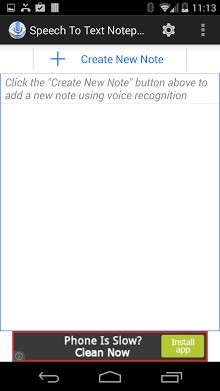
Create notes hands free! All you have to do is speak- this app converts it into text that can be edited using voice commands. For example, you can just say next to move to the next line, say delete to delete a word, say delete 5 to delete 5 words say delete 10 to delete 10 words and so on. This app is great for creating to-do lists, grocery list, dictation, and other notes in general. You can also share your notes using your favorite app (Gmail, twitter, Google Hangout, SMS, etc). This app requires Android-s speech recognition system (Google Search app). Currently voice commands are supported in English, Russian, Spanish, French, German and Portugese. This app can still be used for regular speech to text (without voice commands for next line, delete, etc) in almost all languages supported by Android. It also needs Google Text to Speech if you are interested in Text to Speech features in the app. SAMSUNG USERS: IF THE APP IS NOT WORING MAE SURE YOUR DEFAULT VOICE RECOGNITION ENGINE IS SET TO GOOGLE Tags: Notepad, speech to text notepad, voice to text notepad, speech recognition, voice recognition, dictation notepad, to-do list , grocery list, speech to text converter, speech to text notes, voice transcription, voice transcribe, speech transcription, speech transcribe, dictate, transcribe, speech note, voice notepad, voice note
Verdict
Should you install Speech To Text Notepad?
Speech To Text Notepad is an Android application available under the
Freeware
license — the APK is 1.6M.
We’ve catalogued it under
Business.
✓
Verified clean. Every Speech To Text Notepad APK on SoftLookup is scanned for malware, spyware, and adware. We re-test on every update.
Sponsored
At a glance
Speech To Text Notepad specifications
- Publisher
- Developer
- Last updated
- Feb 11, 2026
- License
- Freeware
- Operating system
- Android
- File size
- 1.6M
- Price
- Free
- Page views
- 679
Sponsored
Help fellow users decide. Share your experience with Speech To Text Notepad.