See Screen Recorder For Game, Video Call, Online Video in action
In depth
A closer look at Screen Recorder For Game, Video Call, Online Video
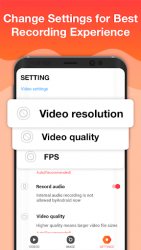
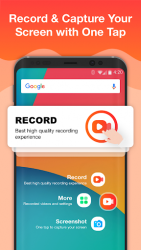
Screen Recorder is the best free app to record your screen without root, without time limit and without watermark. Download Screen Recorder now to enjoy FullHD quality screencast. Start or stop screen recording with only one tap. Screen Recorder is very easy-to-use. As a free screen recording software. You can record live show, gameplay, video chat, capture chatting history, record games, share online video. Screen Recorder offers a lot of features such as video recorder, screen capture, game recorder. Everything we do is for your better screen recording experience.Screen Recorder is not only stable and powerful. But its user interface is also carefully designed. The modern and clean UIs of Screen Recorder makes it fluent and enjoyable to use. With Screen Recorder, you can record your screen - capture mobile video - play recorded video - share screencast anytime anywhere. ey features:Screen RecordYou may want to record your screen when you are playing games. You may want to record video calls when you are chatting with your friends. You may also want to record online videos, live shows. So our free Screen Recorder app offers you:- Multiple video resolutions, video quality, frame rates. Automatically choose the best video settings for your device. - Highest Quality supplied > 1440P Resolution, 12.0Mbps Quality, 60 FPS- Auto enable speaker to record external sound. - One tap to start/pause/resume recording- Record screen through notification bar or floating window. - Hide floating window when recording. - Shake phone to stop recording. - Record without a watermark. - Change the saving path as you want. - Pause/resume recording. Screen CaptureWant to save chatting history? Want to capture funny moment of your friends? Want to capture screenshots of bugs of any app? The only android app you need is our Screen Recorder. Cause our Screen Recorder provides:- Screen capture works when recording your screen. - One tap to capture your screen through floating window or notification bar. - Fast access to the screenshot through pop up window. - Share - edit - delete - select all pictures. - Enable/disable notification after the screen is captured. Facecam-Enable the front camera to record videos View - Share mobile Videos- View recorded videos in notification bar or on pop up window. - Share recorded videos through social apps. - Edit name of the video, delete recorded videos anytime. - Time and size of the videos are shown. More Cool Features- Record anytime anywhere without root. - Cool dynamic effect of the floating window. - Move the floating window to anywhere of the screen. - Drag the floating window to the bottom to close it. - More amazing features coming soon.If you have any questions, feedback, or just want to say hi, feel free to email us.Email:bestliferecorder-gmail.comFacebook:facebook.com/Screen-Recorder-701870780020838/
Verdict
Should you install Screen Recorder For Game, Video Call, Online Video?
Screen Recorder For Game, Video Call, Online Video is an Android application available under the
Freeware
license — the APK is 5.24 MB.
We’ve catalogued it under
Photography.
✓
Verified clean. Every Screen Recorder For Game, Video Call, Online Video APK on SoftLookup is scanned for malware, spyware, and adware. We re-test on every update.
Sponsored
At a glance
Screen Recorder For Game, Video Call, Online Video specifications