In depth
A closer look at Gear Fit Calendar
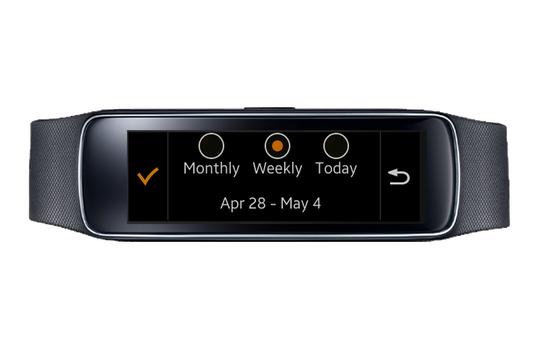
This application is a simple Calendar for Samsung Gear Fit 1. You can view your calendar by Monthly, Weekly, Daily.
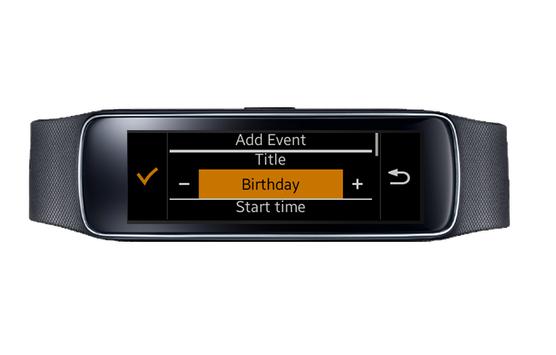
This calendar is synchronized with Calendar on mobile device so you can see all the events in your Gear Fit. You can also edit event reminder and even quickly add an event just by your Gear Fit with some simple templates.
Note : This application only works on Samsung Gear Fit 1 and mobile phone which have Gear Fit Manager installed.
How to use :
- Install Gear Fit Manager and connect to your Gear Fit
- Download and install this application
- Then you can find the Calendar on App Connect menu of your Gear Fit
- To change the view mode : tab the title bar to open setting screen, you can select monthly/weekly or daily.
- In weekly or monthly view, today is highlighted with a green circle
- Tap brown day to see the task list, click on a task to see more details.
- When viewing a day, tap the plus button to add new task for that day
SAMSUNG_CUP_ENABLED
SAMSUNGCUPENABLED
Requirements
Device requirements
Android 4.2+
Verdict
Should you install Gear Fit Calendar?
Gear Fit Calendar is an Android application available under the
Freeware
license — the APK is 1.7 MB.
We’ve catalogued it under
Events.
✓
Verified clean. Every Gear Fit Calendar APK on SoftLookup is scanned for malware, spyware, and adware. We re-test on every update.
Sponsored
At a glance
Gear Fit Calendar specifications
- Publisher
- Tomo Labs
- Last updated
- May 5, 2026
- Requirements
- Android 4.2+
- License
- Freeware
- Operating system
- Android
- File size
- 1.7 MB
- Price
- Free
- Page views
- 1131
Sponsored
Help fellow users decide. Share your experience with Gear Fit Calendar.