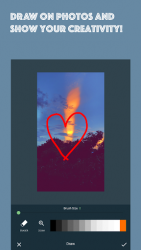
See InPics - Photo and Video Editor, No Crop in action
In depth
A closer look at InPics - Photo and Video Editor, No Crop
The best Photo/Picture/Image/Video editor you deserve. Do you want to post videos and images to the Social Networks or Share with your friends without cropping?Here, we present you InPics Photo and Video Editor. InPics Photo/Image/Picture and Video Editor allows you to post videos and images of any size and resolution to any social network without cropping the video or image. Features:- No watermark. - Add custom coloured borders to the video/image before posting to any social network. - Add custom background patterns to images. - Add image blur background to the images. - Add different filters, effects, stickers to the images. - Add text, draw, remove imperfections from the images. - Rotate video/image before posting to any social network. - Make any video/image square ready for any social network. - Share to any app like any social network without cropping. - Request for new features via feedback. FAQs: Q: Can I request/suggest a new feature?A: Yes. Suggestions and requests are welcomed. You can send suggestions and requests via feedback. Q: How can I report bugs?A: Report bugs via feedback. Q: How to post images/videos to any social network without cropping?A: Put a white border to the image/video from InPics Photo and Video Editor, save and share to any social network. Q: Where are the edited files saved?A: The files will be saved to the -InPics- folder on your sdcard. You need a external sdcard to use this app. Q: Is the image/video quality compromised?A: It depends on the quality of the input file. We try to keep the best quality to size ratio. Q: How much time does it take to render the video?A: It depends on the input video size, resolution and your device-s ram. It can approximately take 1-2 minutes to render a 1 minute 720p video. This is just an approximation, it may work faster/slower for you, depending on your device-s performance. If you enjoy using our app, please take a minute to write us a nice review. It really helps!
Verdict
Should you install InPics - Photo and Video Editor, No Crop?
InPics - Photo and Video Editor, No Crop is an Android application available under the
Freeware
license — the APK is 36.05 MB.
We’ve catalogued it under
Photography.
✓
Verified clean. Every InPics - Photo and Video Editor, No Crop APK on SoftLookup is scanned for malware, spyware, and adware. We re-test on every update.
Sponsored
At a glance
InPics - Photo and Video Editor, No Crop specifications