In depth
A closer look at SyncMyTracks Free
Would you like to change your sport tracking application and keep your activities? Or maybe you use 2 or more of these services and would you like to have them synchronized? Now you can do all this with SyncMyTracks!
This is the free version of SyncMyTracks.
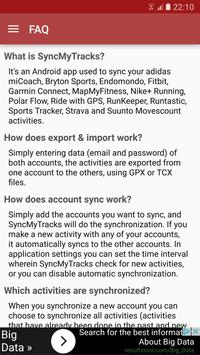
- What is SyncMyTracks?
It's an Android app used to sync your activities of the most popular sports tracking services.
- How does export & import work?
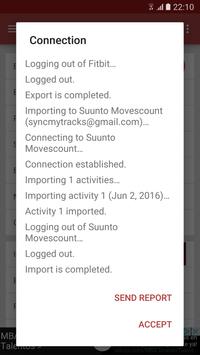
Simply entering data (email and password) of both accounts, the activities are exported from one account to the others, using GPX or TCX files.
- How does account sync work?
Simply add the accounts you want to sync, and SyncMyTracks will do the synchronization. If you make a new activity with any of your accounts, it automatically syncs to the others accounts. In application settings you can set the time interval wherein SyncMyTracks check for new activities, or you can disable automatic synchronization.
- Which activities are synchronized?
When you synchronize a new account you can choose to synchronize all activities (activities that have already been done in the past and new activities you will do in the future) or just the new ones.
- What data is synchronized?
SyncMyTracks synchronizes activity path information, such as time, duration, distance, pace and map. Also the heart rate, cadence, power and temperature are synchronized, when they are supported by different services.
- Can SyncMyTracks delete or modify my activities in synchronization?
Never! SyncMyTracks just adds activities to your accounts, it doesn't delete or modify the activities that you already have.
- Can SyncMyTracks duplicate my activities in synchronization?
SyncMyTracks prevents duplication of activities considering the start time of the activity.
- Where are emails and passwords of my accounts saved?
SyncMyTracks stores this data on your mobile. Passwords are stored using encryption. This data is only used to connect the accounts.
- What are the differences between the free version and the paid version?
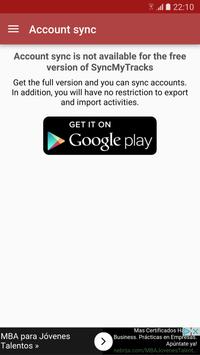
In the free version, account sync is unavailable. Only you can export and import your activities. In addition, in the free version you can only export the last 40 activities at most. The paid version contains no ads.
- Can you use the export and import and synchronization with the same accounts?
Not recommended, it could create duplicate activities already synchronized.
- Can you use Facebook or Google+ to login and sync my accounts?
No. You must use your email and password. If password is not set, you must generate it in your account settings.
Requirements
Device requirements
Android 4.0+
Verdict
Should you install SyncMyTracks Free?
SyncMyTracks Free is an Android application available under the
Freeware
license — the APK is 6.6 MB.
We’ve catalogued it under
Health.
✓
Verified clean. Every SyncMyTracks Free APK on SoftLookup is scanned for malware, spyware, and adware. We re-test on every update.
Sponsored
At a glance
SyncMyTracks Free specifications
- Publisher
- SyncMyTracks
- Last updated
- May 5, 2026
- Requirements
- Android 4.0+
- License
- Freeware
- Operating system
- Android
- File size
- 6.6 MB
- Price
- Free
- Page views
- 1090
Sponsored
Help fellow users decide. Share your experience with SyncMyTracks Free.