Android · Free download · Photography
Adobe Photoshop Lightroom3.0.1
- Operating system
- Android
- File size
- 66.12 MB
- License
- Freeware
- Last updated
- May 5, 2026
65 downloads·1072 page views
Android · Free download · Photography
65 downloads·1072 page views
Screenshots
In depth
The tools you need to tell your story.
Create stunning images in seconds with tools that range from simple one-tap presets to powerful advanced adjustments and corrections.
Experiment freely with edits, and revert to the original at any time, with just one tap.
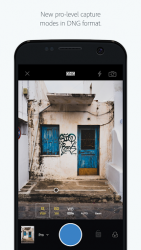
Capture amazing moments with the in-app Adobe camera, streamlining shoot to share. Apply Photoshop magic with five specially formulated shoot-through presets, which can be previewed and applied at capture, and adjusted afterward with full non-destructive capabilities.
Simplify editing photographs and get consistent looks in your photos by copying your favorite edits across photos. Stories need to be shared.
Share photos any way you want: Instagram, Facebook, Twitter, Flickr, and more. Join the community by using #lightroom. Ready to take your photos to the next level? Check out our time-limited trial of the Adobe Creative Cloud Photography plan. Creative Cloud Photography plan member benefits:
Take your photography further.
Access your photos anywhere: Organize, edit and share Lightroom photos across mobile devices, desktop and the web.
Transform photos beyond your imagination with Photoshop CC, the worlds best tool for combining multiple images, removing objects, and retouching your photos.
Get precise control over the color and tone of your photos with selective local adjustments, and more, with the Lightroom desktop app.
Seamlessly sync photo edits, metadata, and morefrom smartphone photos or raw images from DSLRs-across Lightroom enabled devices.
Share your photo collections in beautiful web galleries and get feedback from family and friends.
Craft amazing video stories with your photos, with direct access to Adobe Premiere Clip. Shoot-through presets require OpenGL ES 3.0 and later support. The in-app camera is supported on Android smartphones.
- Available only as a time limited trial or with a Creative Cloud Photography plan subscription.
-In keeping with stringent Adobe requirements around product quality and stability, full raw HDR capture mode is currently supported on devices that contain advanced processing and memory including Samsung S7, S7 Edge, S8, S8+, Google Pixel and Pixel XL.
Adobe lightroom for android mobile devices is an official app that lets you organize your photos synchronize them with other devices and work with raw files from dslr cameras. From an elegant and easy-to-use interface you can create as many folders as you want and sync them to other devices. Besides that, you can edit any picture using the adobe tools available. Using a wide range of gesture shortcuts you can perform some of the most common actions much easier. In the event that you don039t have a lightroom account or another adobe plan this application is just a trial version so for thirty days you can use adobe lightroom mobile freely but after that time you'll have to pay. The adobe lightroom mobile app uses an elegant interface and offers high-quality features and features. The subscription price, though, may be too high for what it does.
Verdict
Adobe Photoshop Lightroom is an Android application available under the Freeware license — the APK is 66.12 MB. We’ve catalogued it under Photography.
At a glance
Help fellow users decide. Share your experience with Adobe Photoshop Lightroom.