In depth
A closer look at ASUS ZenFit
Get fit and healthy while youre busy with your daily activities with ASUS ZenFit! This fitness app allows you to track your fitness activities on your ZenWatch, as well as when paired with your ZenFone. You can track different fitness activities such as walks or runs, count your burned calories or heart rate, and get tips to make your daily life healthy and fit.
ey features
Dashboard and Trends
- Brand-new designed Health Hub to show status summary for the day.
- Support 4 activity fitness metrics: by step, workout, heart rate, and sleep.
- 3 types of trend displays: daily, weekly, and monthly.
Whole-day Tracker
- Tracks your steps via the paired phone, works with multiple devices (phones and watches).
- Comprehensive activity display that integrates all activities from multiple devices.
Sleep Tracker
- Sleep status diagram that shows your relative movement during sleep at night in terms of wake-ups, light sleep, and deep sleep.
- Provides sleep quality assessment to quantify the objective sleep quality with daily, weekly, and monthly reports.
- Tips to remind you of getting a good sleep.
Heart Rate Monitor
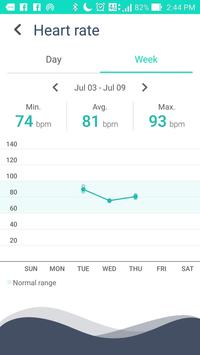
- Resting heart rates to indicate the condition of your body.
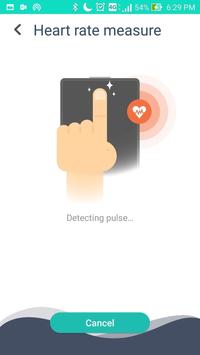
- Measures and records heart rates right on your phone.
- eep track daily and weekly of your heart health with your phone and watch.
Workout
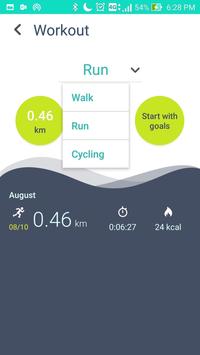
- Supported workout types: walk, run, cycling, push-up, sit-up and gym workouts.
- Starts an outdoor training with real-time information and path tracking.
- Starts a push-up, sit-up or gym workout training with auto-counting
- Sets goals for all workout types, calories to burn, distance or times to reach, and time frame reached.
Health Reminders
- Personal message on Health Hub to notify your activity achievements and provide tips for health/workout.
- Idle alert to remind you to take a walk by showing how long you have been inactive continuously at a specific time/period in a day.
Supported wearable devices:
ZenWatch 3 (WI503Q)
- Dashboard and Trends
- Whole-day Tracker
- Sleep Tracker (with auto sleep detection)
- Workout (walk, run, cycling, push-up, sit-up, shoulder press, chest press, butterfly, pull-down)
- Health Reminders (personalized messages and idle alert)
ZenWatch 2 (WI501Q, WI502Q)
- Dashboard and Trends
- Whole-day Tracker
- Sleep Tracker
- Workout (walk, run, cycling, push-up, sit-up)
- Health Reminders (personalized messages and idle alert)
ZenWatch (WI500Q)
- Dashboard and Trends
- Whole-day Tracker
- Heart Rate Monitor
- Workout (walk, run, cycling)
- Health Reminders (personalized messages and idle alert)
ASUS ZenFit is designed by ASUS ZenUI and ASUS Design.
Requirements
Device requirements
Android 4.4+
Verdict
Should you install ASUS ZenFit?
ASUS ZenFit is an Android application available under the
Freeware
license — the APK is 26.9 MB.
We’ve catalogued it under
Health.
✓
Verified clean. Every ASUS ZenFit APK on SoftLookup is scanned for malware, spyware, and adware. We re-test on every update.
Sponsored
At a glance
ASUS ZenFit specifications
- Publisher
- ZenWatch, ASUSTeK Computer Inc.
- Last updated
- May 4, 2026
- Requirements
- Android 4.4+
- License
- Freeware
- Operating system
- Android
- File size
- 26.9 MB
- Price
- Free
- Page views
- 1441
Sponsored
Help fellow users decide. Share your experience with ASUS ZenFit.