See Parental Control and Kids GPS: Kaspersky SafeKids in action
In depth
A closer look at Parental Control and Kids GPS: Kaspersky SafeKids
PARENTAL CONTROLS AND GPS TRACER Helps you make your kids digital experience safe, fun, and productive on their Android devices.
Rated Excellent by PC Mag independent review. Also available for Mac, Windows and more. aspersky Safe ids also offers a paid version that unlocks premium features and allows you to use it on an unlimited number of devices for all children in the family.
With screen time scheduling and unwanted content block, GPS safe area and battery level monitoring, remote settings management and notifications about suspicious activities, summaries of what your kids search, find & share plus expert tips on online security topics you can stay connected with your kids and be sure they are in a safe place with more than just parental control tools.
What you can find in our Free version:
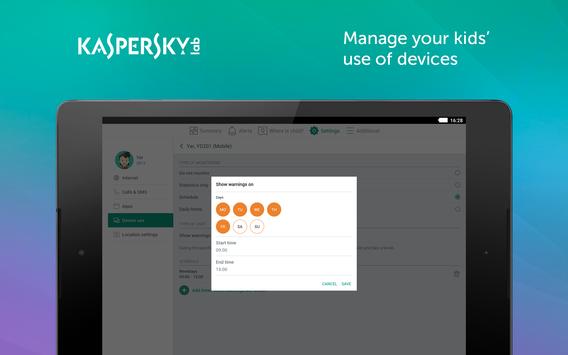
- Block your childrens access to adult content & apps - Block suspicious search results in browsers - Personalize a list of sites & apps you block / allow - Set device screen time limits - Easily manage rules and check a summary report via My aspersky and aspersky Safe ids app on your device - Allow access to blocked websites or apps by request remotely - Find tips on how to educate your kids about digital dangers and other online security threats from expert psychologists
With Premium you have access to all features available in the Free version of aspersky Safe ids plus you can:
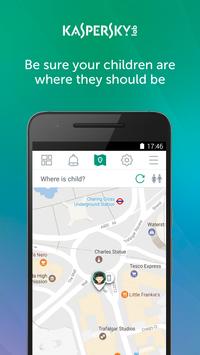
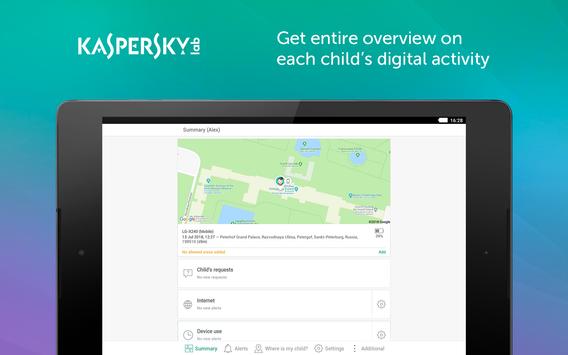
- Install Safe ids on any Windows, Mac, Android device and more (unlimited) - Set device usage time limits by schedule - See your childs location on a map with a GPS-tracker - Define a safe area you expect your kids to stay within and get alerts the moment your kids leave that area - See the battery level of your kids devices and get notifications if its low - Receive real time notifications and alerts for activities on your kids devices that dont follow rules - Monitor your kids public FB activity number of friends changes and public posts - via your My aspersky account - Monitor your kids Android calls & messages and receive alerts if they communicate with contacts you specify via your My aspersky account - See detailed reports on your childs web and app activity & device usage via your My aspersky account - Categorize Internet search requests for you to better understand what topics your kids search for
How to start: 1. Install this app on your devices in Parents mode 2. Install this app on the childs device in ids mode and follow the quick setup instructions 3. Sign in to your My aspersky account ids tab at my.kaspersky.com/mykids for initial setup and protection rules management. Please use one single My aspersky account for all aspersky Safe ids installations.
We recommend that you turn on your Global Positioning System (GPS) to increase the accuracy of your childs location. Please note, the GPS usage increases battery power consumption.
This app uses the Device Administrator permission. This app uses Accessibility services.
Requirements
Device requirements
Android 4.4+
Verdict
Should you install Parental Control and Kids GPS: Kaspersky SafeKids?
Parental Control and Kids GPS: Kaspersky SafeKids is an Android application available under the
Freeware
license — the APK is 29.3 MB.
We’ve catalogued it under
Parenting.
✓
Verified clean. Every Parental Control and Kids GPS: Kaspersky SafeKids APK on SoftLookup is scanned for malware, spyware, and adware. We re-test on every update.
Sponsored
At a glance
Parental Control and Kids GPS: Kaspersky SafeKids specifications