In depth
A closer look at Securly Home
Securly parents, now you can access the Parent Portal through your Android device.
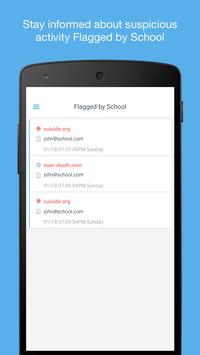
Use your phone or tablet to monitor activity on your childs school-owned device at school or at home.
Whether youre at work or at a coffee shop, the Parent Portal for Android lets you:
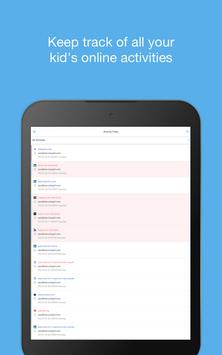
View your child's recent search terms
See which sites have been visited
Get alerts if signs of bullying or self-harm are found
Benefits:
Works on any Android device
Interface is simple and easy-to-use
Free
Works with Plug n Play
Parent Portal for Android also works in conjunction with Securlys Plug n Play hub, which gives parents the power to design a personalized Wi-Fi network specific to their childs age and interests.
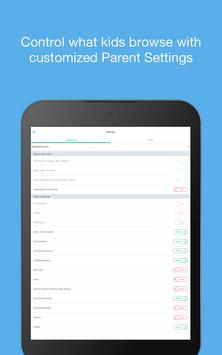
Allow and block sites
View overall or individual online activity
Be aware of risky behavior
Parent Portal for Android lets parents see that their child is staying safe and focused. The app is free, but the insight it provides is priceless.
Requirements
Device requirements
Android 4.4+
Verdict
Should you install Securly Home?
Securly Home is an Android application available under the
Freeware
license — the APK is 12.4 MB.
We’ve catalogued it under
Parenting.
✓
Verified clean. Every Securly Home APK on SoftLookup is scanned for malware, spyware, and adware. We re-test on every update.
Sponsored
At a glance
Securly Home specifications
- Publisher
- Securly Inc.
- Last updated
- Feb 1, 2026
- Requirements
- Android 4.4+
- License
- Freeware
- Operating system
- Android
- File size
- 12.4 MB
- Price
- Free
- Page views
- 1048
Sponsored
Help fellow users decide. Share your experience with Securly Home.