QuickShortcutMaker icon

Android · Free download · Collection

QuickShortcutMaker2.4.0

Operating system
Android
File size
2.0 MB
License
Freeware
Last updated
May 5, 2026

83 downloads·1298 page views

Screenshots
See QuickShortcutMaker in action

QuickShortcutMaker screenshot 1
QuickShortcutMaker screenshot 2
QuickShortcutMaker screenshot 3

In depth

A closer look at QuickShortcutMaker

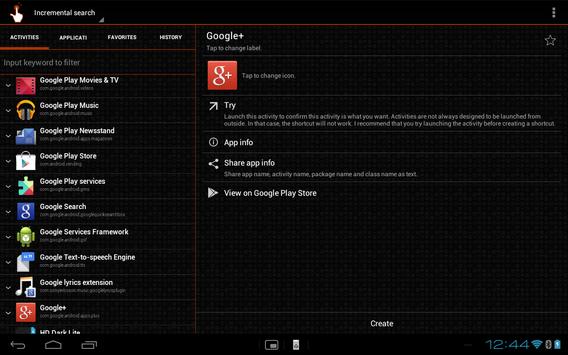
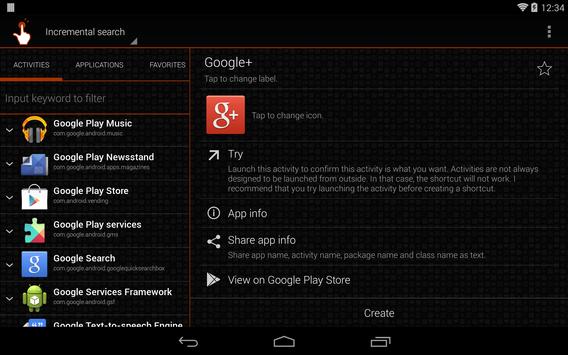
This app can create a shortcut to an application from the list of activities which are installed on your phone.
Even if so many applications are installed, you can choose an activity smoothly.

You can also use the QuickShortcutMaker for searching the app which you want to launch.
If you want to use the app which you don't use frequently, maybe you have no shortcuts for it. So, you may have to search the app from a list of many apps. Even if you know the name of the app, it's hard to find it.
In this situation, the QuickShortcutMaker will help you finding the app. Please try!

This may be useful. But please use it at your own risk!
You can make shortcuts to hidden setting screens which are usually not accessible.
Even if you encountered any problems using this app or shortcuts created by this app, I don't have any responsibility about that. Please be sure to use this app at your own risk.

About Internet access permission:
From the version 2.0.1, for a more rapid improvement of the app, you will be requested an additional permission to access network so that the app can send a detailed error report to developer.
The app uses network only to send error reports.
And when it communicates, a confirmation message will be displayed, so please rest assured.

for Launcher3 of Cyanogenmod
If you cannot create shortcut, please try the following steps:
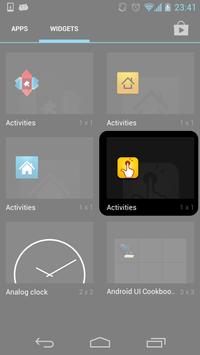
1. Long-tap the home screen.
2. Tap "WIDGETS".
3. Long-tap "Activities" which has the QuickShortcutMaker's icon.
4. Drag it to somewhere on the screen.
5. QuickShortcutMaker will be launched.
6. Select an activity, edit it, and tap "Create".
7. A shortcut will be created on the home screen.

Follow the updates
Google+

QuickShortcutMaker 2.5.0

Shortcutmaker is an app that does exactly what its name suggests it creates shortcuts on your android smartphone screen. The main draw is that you can create shortcuts to apps system processes and activities in the apps themselves. Not only can you create a shortcut to for example the gallery app but you can also create one to the video editor in your gallery app. When you open quickshortcutmaker the first thing you see is the list of activities. This list essentially contains all the apps you have installed as well as a series of activities related to system processes. If you tap on any of the installed apps you'll see a list of the activities for that app. Some apps have many activities such as youtube for example while others may only have one activity. One of the strengths of quickshortcutmaker is that it allows you to customize your shortcuts as you wish. It is possible to choose both the icon and its name so you can rename the icon.

Requirements

Device requirements

Android 1.6+

Verdict

Should you install QuickShortcutMaker?

QuickShortcutMaker is an Android application available under the Freeware license — the APK is 2.0 MB. We’ve catalogued it under Collection.

Verified clean. Every QuickShortcutMaker APK on SoftLookup is scanned for malware, spyware, and adware. We re-test on every update.
Sponsored

At a glance

QuickShortcutMaker specifications

Category
Collection
Publisher
sika524
Last updated
May 5, 2026
Requirements
Android 1.6+
License
Freeware
Operating system
Android
File size
2.0 MB
Price
Free
Page views
1298
Sponsored

Leave a comment

Help fellow users decide. Share your experience with QuickShortcutMaker.

Download QuickShortcutMaker