See Custom AOD (Add images on Always On Display) in action
In depth
A closer look at Custom AOD (Add images on Always On Display)
This app uses Accessibility services.
This app used Accessibility services to perform swipe gestures and to display image on Always On Display screen. This app will not collect any type of user data. Swipe Gestures will help the hypothetical user which has difficulty to press the buttons on a device.
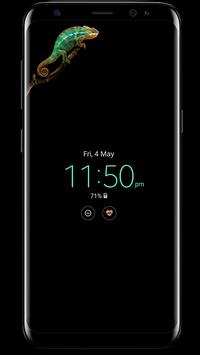
Note This app only add images/Text on Samsung's Always On Display. Currently supported on Samsung S7/S7edge, S8/S8+, Note 8 and A3/A5/A7 2017 Only.
Do not worry about Screen burn Half Pixel images used to prevent screen burn and battery draining issue. Images move after some time ( Image move to next pixel so you can not notice movement, But they surely move). Text shift position to TOP or BOTTOM to prevent screen burn.
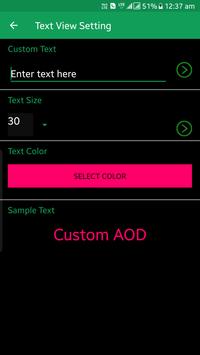
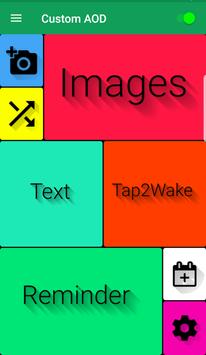
Feature >Add Images On Samsung's Always On Display. >Set Custom Text to AOD screen. >Add mood emoji to AOD Screen >Option to select custom fullscreen (Prime) and partial screen images >new images added regularly (Prime) >Option to select text color Note: Restart app after purchase of prime pack
Tutorial about How to make half pixel image
Requirements
Device requirements
Android 6.0+
Verdict
Should you install Custom AOD (Add images on Always On Display)?
Custom AOD (Add images on Always On Display) is an Android application available under the
Freeware
license — the APK is 6.2 MB.
We’ve catalogued it under
Collection.
✓
Verified clean. Every Custom AOD (Add images on Always On Display) APK on SoftLookup is scanned for malware, spyware, and adware. We re-test on every update.
Sponsored
At a glance
Custom AOD (Add images on Always On Display) specifications