
Android · Free download · Photography
Photo Collage Maker14.9
- Operating system
- Android
- File size
- 28.7 MB
- License
- Freeware
- Last updated
- May 5, 2026
10 downloads·1353 page views
Android · Free download · Photography
10 downloads·1353 page views
Screenshots
In depth
It's an image editing app that lets you create photo montages in a thousand and one ways. Using this app you can create collages and add various effects to the images on your mobile phone.
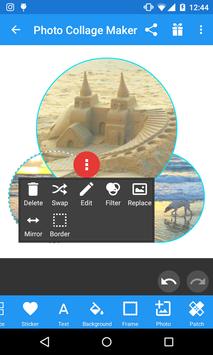
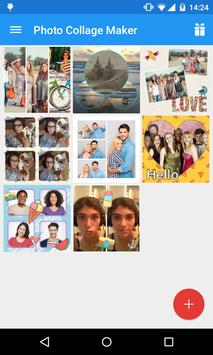
using photo collage maker is quite simple: pick up to nine pictures and start arranging them into fantastic collages. How they are laid out you can choose from the array of templates in the app. The layout of the image can be edited as well as various effects can be applied. Beyond the basic features found in most editing apps you can also apply special effects to give your creations a distinctive touch. Ppphoto collage maker is a very simple-to-use photo editing app that delivers fantastic results. Plus it has a large number of backgrounds you can use in your collages.
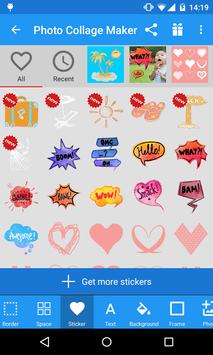
A simple app for creating collages in just a few seconds. So you just have to select all the images you want to include and then select from a few customization options. With over 100 different collage designs and many other stick-ons this app can add a personal touch to the final result. It is possible to add as many stickers as you want and place them in any position by dragging them with your finger. Also in addition to photos frames and stickers photo collage maker also allows you to add fully adjustable text in more than 50 types of fonts. In addition you can change the color of the letters or the background of the text. If you don't like a part of the photo just cut it out with the included crop tool and if you don't like the way the collage looks in general you can use any of the many filters. Once your editing is complete and you have your collage ready you can share it directly with your contacts on social networks from the interface of photo collage maker039. In short, it's a very simple and practical tool for sharing with your friends a collage from a fun holiday, for example.
It's a tool that you'll love if you're looking for an app to make different style collages on your android device at any time. If this sounds like you then you will be able to combine your favorite photos in a matter of seconds into a single collage. In photo collage maker the editing process is very easy which is common for applications of this kind. There are two different options: find and select the photos you want to work with from your gallery or take them from within the app itself. After selecting all the photos you want to use you will see the main editing screen of photo collage maker where you can make all the changes. If you want to try different collage styles just tap on the corresponding tab in the menu and after a few swipes to the side you can discover all the styles. What's more, before exporting, you can adjust basic parameters like light, saturation, or contrast, among many others. This is a very useful app for creating collages and getting amazing results with barely any effort.
Requirements
Android 4.1+
Verdict
Photo Collage Maker is an Android application available under the Freeware license — the APK is 28.7 MB. We’ve catalogued it under Photography.
At a glance
Help fellow users decide. Share your experience with Photo Collage Maker.