
Android · Free download · Photography
Collage Maker1.31
- Operating system
- Android
- File size
- 24.4 MB
- License
- Freeware
- Last updated
- May 5, 2026
12 downloads·1208 page views
Android · Free download · Photography
12 downloads·1208 page views
Screenshots
In depth
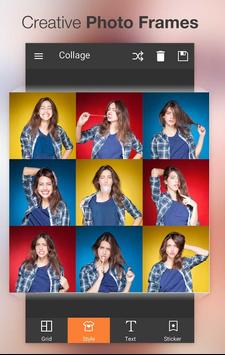
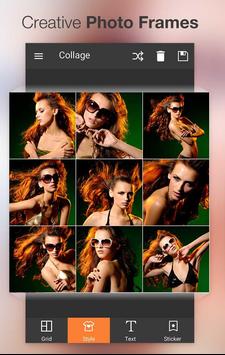
A comprehensive tool for creating professional collages with photos from your gallery. If you want to create a special collage featuring your friends boyfriend or girlfriend or family this app includes tons of features designed to help you make the best collage ever. Select all the photos you want to include in the collage with a maximum of nine photos. After selecting photos collage maker will show you the best templates for creating an amazing collage with exactly the number of photos you want.
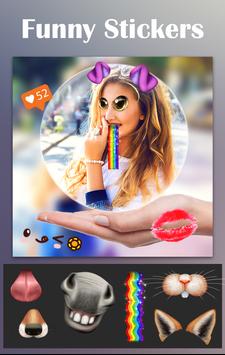
collage maker has tons of features for editing your photos, too, including zoom, height, distance from the rest of the elements, and more. With just a few taps you'll have everything you need to create the perfect collage. Similarly the app has a built-in photo editor for retouching images in batches or one by one so you can modify whatever you want or crop it if necessary. If you want to jazz up photos add stickers effects and filters. Have fun adding extra decorations and editing your photos until you are satisfied with the result then share it with your friends family or partner. You can create unique collages with collage maker in just a few minutes.
A very useful tool for editing pictures and creating fantastic collages from the pictures you like the most.
A really interesting app that helps you create spectacular collages from the comfort of your smartphone. I'm sure collage maker will not disappoint you. Ppcollage maker is easy to use because of its neat and intuitive design. In the collage you first have to choose the layout of your images. Most of the options are available but keep in mind that the end result will always be squared. Particularly useful is this feature for apps that favor this format like instagram. You can start adding pictures after this step. Then click on the empty spaces select the image you want to use and adjust the picture to make sure it fits in perfectly. You can adjust the size orientation and position until you are satisfied with the final result. As a third and last step you have the chance to make your creation come to life. If you want to change the background frame of the collage you can even add fun stickers. Share your masterpiece with your contacts directly from collage maker or save it to your smartphone when you're done.
Requirements
Android 4.1+
Verdict
Collage Maker is an Android application available under the Freeware license — the APK is 24.4 MB. We’ve catalogued it under Photography.
At a glance
Help fellow users decide. Share your experience with Collage Maker.