
Android · Free download · Productivity
Video Converter2.0
- Operating system
- Android
- File size
- 13.27 MB
- License
- Freeware
- Last updated
- Feb 14, 2026
52 downloads·883 page views
Android · Free download · Productivity
52 downloads·883 page views
Screenshots
In depth
ey features:
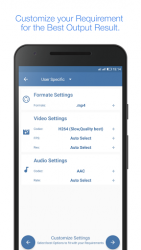
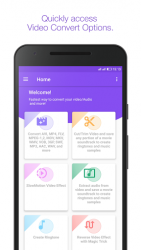
Supports MP4, FLV, MPEG-1,2, MOV, MV, WMV, AVI, VOB, 3GP, SWF, MP3, AAC, WAV, and more
Convert and Saves for iPad, iPhone, Android devices,Blackberry,Lumia, Samsung Galaxy, Xbox, Sony PlayStation, Google Nexus
Includes basic editing functions: Slow-Motion,trim, Reverse,crop, rotate, stabilize and more
You can Reverse Video in simple Steps
Change Audio Frequency in 2x,3x speed up and slow down.
Support for 200+ devices from Apple, Samsung, Nokia, Google, HTC, LG, Sony, and other popular brands
Ready-made presets fully optimized for specific device models
SuperSpeed conversion
Convert multiple media files simultaneously
Multiple Theme Option for Colorfull Experience.
Multiple language support, including English, German, Japanese, Russian and Spanish and more. Video Converter has a number of basic editing settings. With these you can customize the video size and aspect ratio and extract audio and video from files. Overall, Video Converter's basic conversion function is quick and easy, but the suite does have less than stellar editing abilities. If you want a specific video format to be supported, please leave the details in comments or email us. Well try to add the support in future release. PERMISSIONS:
android.permission.INTERNET:
android.permission.ACCESS_NETWOR_STATE:
android.permission.READ_EXTERNAL_STORAGE: for read video/audio files.
android.permission.WRITE_EXTERNAL_STORAGE: for store the output video/audio files
com.android.vending.BILLING: for in app purchase to upgrade to premium features.
Verdict
Video Converter is an Android application available under the Freeware license — the APK is 13.27 MB. We’ve catalogued it under Productivity.
At a glance
Help fellow users decide. Share your experience with Video Converter.