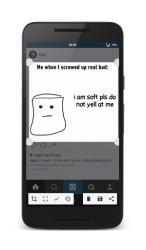
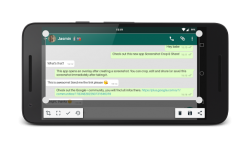
Screenshot Crop and Share is a multifunctional and powerful screenshot application, tailored to your needs. Take a screenshot and this app will be your personal screenshot-assistant. Once you created a screenshot this app will open and its going to offer helpful tools like direct sharing, editing, deleting, taking scrolling screenshots and more. Main Features: Take screenshots Edit screenshots Crop screenshots Apply a blur filter to hide private information on screenshots Draw on your screenshots to highlight certain things Share screenshots directly Advanced Features: Take scrolling screenshots new Take partial screenshots Cut status bar and navigation bar Copy text from screenshots to your clipboard with Text Recognition Floating Bubble to create screenshots everywhere, even in fullscreen apps Demo Mode Experimental Custom Quick-Settings Tiles to faster create screenshots, partial screenshots and scrolling screenshots Share other pictures from your gallery to this app and you will be able to edit them too
Verdict
Should you install Screenshot Crop and Share?
Screenshot Crop and Share is an Android application available under the
Freeware
license — the APK is 4.86 MB.
We’ve catalogued it under
Productivity.
✓
Verified clean. Every Screenshot Crop and Share APK on SoftLookup is scanned for malware, spyware, and adware. We re-test on every update.