See Screen Recorder With Audio And Editor and Screenshot in action
In depth
A closer look at Screen Recorder With Audio And Editor and Screenshot
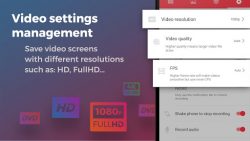
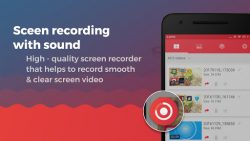
Take screen and voice recorder and screenshot app all in one, can you believe it? With our application, everything will become possible. Now, you can take screenshots with a single touch. Moreover, you will have a video recording that will record while you re playing games with face camera. On the orther hand, it is a camera that can record your face and screen ey features of screen recorder and editor app: - Face cam and recorder screen recording with internal audio- Open the app to start to record on screen. Our toolbar will appear on the screen for you to customize such as turning on the camera, drawing to screen or pause at any time. It is simple and intuitive to record games on your phone, sound and facecam at the same time. - After recording, you can optionally edit recording screen video. We support editing: cut video, effects, speed or add music to make your video truly impressive - unique. - Screen shot captures and edit screenshots:- Take a screenshot of your phone with a single touch- Support editor screenshot app with blur, cutting or grafting- - Manage video screen capture format settings- You can choose to save video recorder and editor in many formats with high quality resolution such as HD, Full HD - Special things are waiting for you in this screen recorder with facecam app: - Screen recorder no root root - no login required- large time to record screen and audio- HD game screen recorder with facecam- Customize video title when saving- Sharing video screen recording with sound through social networks- Simple interface, easy to record video calls or record games while you play- Support multiple devices- Camera recording apps for FREE Do you want to know how to record your screen, want to make mobile video tutorial or have video call recording? If you are still struggling for the best solution to high quality screen recorder, come to our recording screen app no root Screen recorder with audio will be much easier and faster. What-s more, a great app that captures all your lovely moments with your smartphone. So, download the screen recording and mirror app right now to have a great experience! Do not forget to rate 5 - for game recording screen app to support the developer!
Verdict
Should you install Screen Recorder With Audio And Editor and Screenshot?
Screen Recorder With Audio And Editor and Screenshot is an Android application available under the
Freeware
license — the APK is 5.26 MB.
We’ve catalogued it under
Productivity.
✓
Verified clean. Every Screen Recorder With Audio And Editor and Screenshot APK on SoftLookup is scanned for malware, spyware, and adware. We re-test on every update.
Sponsored
At a glance
Screen Recorder With Audio And Editor and Screenshot specifications