In depth
A closer look at Vectir PC Remote Control
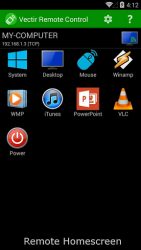
The best PC remote control for your phone or tablet! More than just another remote desktop app, Vectir Remote Control provides a collection of application specific remote controls for all of your needs. Control your favorite Windows applications, keyboard, mouse and volume with ease from your phone or tablet. -We were pleasantly surprised with Vectir. It is easy to set up, comes packed with a lot of options and makes room for customization.
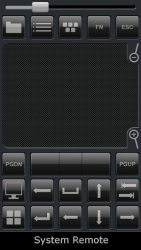
-- Softpedia eyboard and Mouse Remote ControlRemotely control your computers keyboard and mouse directly from your Android device. The remote keyboard lets you type all Windows keys and works with multiple languages. The remote mouse gives full control of your Windows mouse cursor including left click, right click, drag and scroll. Remote DesktopRemotely view and control your computers desktop with simple gestures for panning and zoom. Move the mouse cursor and type on the virtual keyboard in real time. Works with multiple monitors. Media Player Remote ControlMedia player remotes are included for iTunes, Winamp, Windows Media Player (WMP), VLC and Spotify remote. Commands include play/pause, stop, next, previous and remote volume
Verdict
Should you install Vectir PC Remote Control?
Vectir PC Remote Control is an Android application available under the
Freeware
license — the APK is 2.23 MB.
We’ve catalogued it under
Productivity.
✓
Verified clean. Every Vectir PC Remote Control APK on SoftLookup is scanned for malware, spyware, and adware. We re-test on every update.
Sponsored
At a glance
Vectir PC Remote Control specifications
- Publisher
- Incendo Technology
- Last updated
- Feb 2, 2026
- License
- Freeware
- Operating system
- Android
- File size
- 2.23 MB
- Price
- Free
- Page views
- 1130
Sponsored
Help fellow users decide. Share your experience with Vectir PC Remote Control.