Android · Free download · Productivity
MirrorGo Stream and Recorder1.0.0.11
- Operating system
- Android
- File size
- 2.43 MB
- License
- Freeware
- Last updated
- Jan 23, 2026
7 downloads·1199 page views
Android · Free download · Productivity
7 downloads·1199 page views
Screenshots

In depth
MirrorGo is the new and best way ever to mirroring your Android device screen to PC seamlessly. Start using your favorite mouse and keyboard to take full control of Android phone on PC right now!
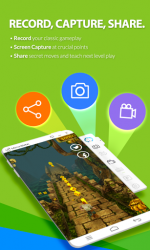
Visit:wondershare.com/android-mirror/ - Enjoy bigger screen Seamlessly Android to PC mirror makes it possible to get best game experience by playing Android games on a much bigger screen. Easily take real-time Android screen and watch videos, pictures from desktop. Fully compatible with all of the Android applications available in Android app markets. - Capture, record and share your Android screen Capture real-time Android screen snapshot and record screen history. Easily save and share the Android screen records with your friends. Support all Android devices, no root access. - Receive Android notifications on PC Receive all notifications of Android phone simultaneously on desktop without picking up your phone. View notifications and messages including Call, SMS, WhatsApp, Facebook, Email, etc. - MirrorGo Input Method Type in and send messages using your computers keyboard easily. - Sync files between PC and Android devices Drag and drop files to transfer photos, videos and more between Android devices and PC. - [Start MirrorGo] 1. Install the MirrorGo AP file on your Android device..
2. Download and install MirrorGo on PC from wondershare.com/android-mirror/.
3. Launch MirrorGo on computer and connect Android device to PC via Wi-Fi or USB cable connection.
You can now start mirroring. - More questions about MirrorGo? Contact us via: support-wondershare.com
Verdict
MirrorGo Stream and Recorder is an Android application available under the Freeware license — the APK is 2.43 MB. We’ve catalogued it under Productivity.
At a glance
Help fellow users decide. Share your experience with MirrorGo Stream and Recorder.