Android · Free download · Productivity
Speechnotes - Speech To Text1.10
- Operating system
- Android
- File size
- 4.28 MB
- License
- Freeware
- Last updated
- May 4, 2026
18 downloads·910 page views
Android · Free download · Productivity
18 downloads·910 page views
Screenshots
In depth
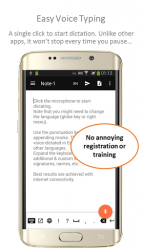
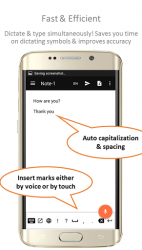
Powerful speech-enabled (voice-typing) notepad, designed to empower your ideas and creativity. Featured on Gizmo-s, GeekTime - other leading tech magazines. The highest rated Speech-to-Text Chrome app. A Free Alternative to the pricy Dragon Naturally SpeakingMany of you told us that in some ways, it even outperforms Dragon. If you need to dictate an article, you will find Speechnotes not only cheaper, but perhaps even better for you. System RequirementsGoogle speech recognition enabled as the default speech recognizer.Internet connectivity (though works offline- internet is recommended)Optional- but will get better results: download the necessary language packages Multilingual. Voice Commands in English:We support a variety of useful voice commands in numerous languages. Here is a list of the main ones in English:Period; comma; question mark; colon; semicolon; exclamation mark; exclamation point; new line; new paragraph; open parentheses; close parentheses; hyphen; smiley; smiley face; sad face; dash; open quotation; close quotation; quotation PrivacyWe very much value and protect your privacy. We don-t store any of your data. We don-t share it 3rd parties, other than Google, for the speech-to-text engine. We use the Android-s native speech-recognizer- so Android-s and your device-s maker-s privacy policies apply. TermsThis app is given for your usage and enjoyment AS-IS. We do our best to develop the best apps, but, as with any software, we might have errors and furthermore, we rely on Google as our service provider, which might change its software without notice. Therefor, we cannot be responsible for any data loss, or failure in the software-s performance. Furthermore, we rely on Google and Android as our speech recognition engine, so changes in their APIs might affect our app-s performance. Failures might happen without notice. We encourage you to test the app before purchasing. In general, purchases are not refundable. Subscriptions can be stopped at any time. Background smartphone image, edited based on image by GadgetsGuy and GalaxyOptimus collage.
- Derivative work from [1], [2], and [3], CC BY-SA 3.0, commons.wikimedia.org/w/index.php?curid=47968311 For additional info - feedback, please contact us at admin-speechlogger.com, For Speechnotes for PCs, iOS (on Chrome), desktops, laptops, go to speechnotes.co Enjoy notes talking!
Verdict
Speechnotes - Speech To Text is an Android application available under the Freeware license — the APK is 4.28 MB. We’ve catalogued it under Productivity.
At a glance
Help fellow users decide. Share your experience with Speechnotes - Speech To Text.