In depth
A closer look at Emoji Keyboard 7
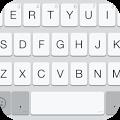
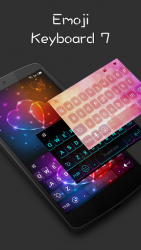
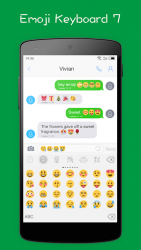
It is an flat style theme keyboard that support to input emoji in everywhere(like in Facebook/Twitter), you can see the beautiful flat style keyboard UI and input emoji very convenient, if you need more keyboard Theme, Please install eyboard Theme Manager app. Feature:- Flat white style keyboard UI.
- Custom keyboard font.
- Gesture slide input.
- Input Emoji in any apps, only first page of each type in free version.
- Support the suggestion of English/French/Italian/Spanish input.
- Support too much keyboard themes.
- - Importan Notes: If you are S3/S2 or other samsung device and can-t see black and white emoji. you can try to install an font.
Then select font: System Setting > Display > Font Style, then select Emoji. How to enable it?- Open this app.
- Click the -Enable emoji keyboard-, then enable the it in the system input settings. How to set it as default keyboard:- Open the app.
- Click the -Set default keyboard-, you can change an input as default keyboard. Why I can-t see emoji?- if your android is under 4.1, maybe you can-t see any, pls contact with me. - some part can support by android, but all apple devices can see all.
Verdict
Should you install Emoji Keyboard 7?
Emoji Keyboard 7 is an Android application available under the
Freeware
license — the APK is 25.88 MB.
We’ve catalogued it under
Productivity.
✓
Verified clean. Every Emoji Keyboard 7 APK on SoftLookup is scanned for malware, spyware, and adware. We re-test on every update.
Sponsored
At a glance
Emoji Keyboard 7 specifications
- Publisher
- Barley WorkShop
- Last updated
- Feb 2, 2026
- License
- Freeware
- Operating system
- Android
- File size
- 25.88 MB
- Price
- Free
- Page views
- 938
Sponsored
Help fellow users decide. Share your experience with Emoji Keyboard 7.