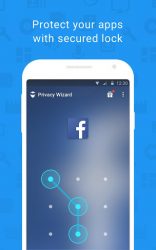
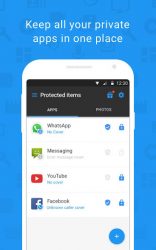
Hotspot Shield Privacy Wizard protects all your apps by putting passwords (lock) on individual apps and disguises the lock with one of the entertaining covers from your choice. It is all free! Privacy Wizard Features - New! Now you can hide individual photos to Privacy Wizard. - Lock any app (photo, media, SMS, email-) on your device with passcode or patterns - Add a second layer of security by disguising the lock with covers - -Uninstall Lock- feature prevents Privacy Wizard from being uninstalled Mobile phone today contains too much private and important things that we do not afford to compromise. With Hotspot Shield Privacy Wizard, your privacy is always protected. You will no longer need to worry about ‡ Friends snooping at your text messages or call logs‡ Parents checking your social media pages‡ ids accidentally deletes important files or apps‡ Strangers who get your lost phone get into your privacies How to use Hotspot Shield Privacy Wizard 1. Install Privacy Wizard on your Android phone or tablet.2. Set your master password. When to launch the app for the first time, you need to set up a password. You can choose either a pattern or a passcode. The initial password is your master password and is used to access all apps secured by Privacy Wizard as well as the Privacy Wizard app itself.3. Select the apps you want to protect and add a second layer of security by choosing a disguising cover. About App Lock Covers App Lock Covers provide double layers of security by showing snoopers a fake screen and block their access to the applications. When a cover is used, the cover screen will pop up before the password screen. Each cover has its own secret action that the user must complete bypassing the screen. The password screen is then displayed if the cover is bypassed. There are five cover options to choose from, Voice Authentication, Unknown Caller, Fingerprint Touch ID, Error Message, and Customized Pictures. You can also choose not to use any covers. [-] Fingerprint Touch ID shows a fake fingerprint verification request and makes the snooper think that fingerprint verification is needed [-] Error Message displays an error message and fools the intruder into thinking an error has occurred [-] Voice Authentication displays a fake voice authentication screen to mislead the meddler[-] Unknown Caller Simulates a fake incoming call and scares nosy parker away[-] Customized Pictures- choose any pictures from your phone You can easily disable or enable the cover and lock for each app listed on-Your locked appsscreen. How to Enable -Uninstall Lock- We highly encourage users to enable the -Uninstall Lock- feature, which prevents anyone to attempt to uninstall Privacy Wizard. To enable -Uninstall Lock- Feature, simply go to-Setting,-Uninstall Lockoption, and tap on-Activate Device Administrator. Powered by AnchorFree AnchorFree is a privately held, venture-backed company based in the Silicon Valley. AnchorFree believes in placing consumers in control of their personal information online and provides millions of users with online security, privacy, and access through its most popular VPN product- Hotspot Shield. Hotspot Shield enables user online activities, sites visited, searches and personally identifiable information to always stay private.
Verdict
Should you install Hotspot Shield Privacy Wizard?
Hotspot Shield Privacy Wizard is an Android application available under the
Freeware
license — the APK is 7.44 MB.
We’ve catalogued it under
Productivity.
✓
Verified clean. Every Hotspot Shield Privacy Wizard APK on SoftLookup is scanned for malware, spyware, and adware. We re-test on every update.