In depth
A closer look at Memory Cleaner
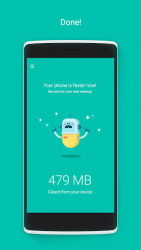
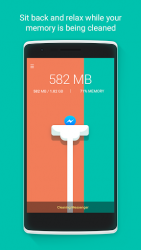
Memory Cleaner shuts down the apps needlessly running in the background of your device freeing RAM, speeding up the phone and minimizing battery consumption. Features of Memory Cleaner (Free): Real Boost: Memory Cleaner is the best Android phone speed booster. It actually optimizes your smart phone performance by stopping the useless apps and services. Battery saving: Protect the battery consumption by reducing unwanted phone activity. Simple Interface: All you need to do is a single tap on the button, then Memory Cleaner will speed up memory in seconds. A single touch saves you time and effort to boost your phone. Advanced App Manager: Choose apps you want to keep running so it will not stop them when speeding up your phone. No Ads: We care about you and wouldnt like to bother you, so we keep your phone screen clean and free of annoying ads. Enable Accessibility Services: 1. Go to [System Settings -> Accessibility -> Memory Cleaner -> [ON], and finish it by tapping [O] in the following pop-up. 2. You may receive the warning during the process. Please tap [O] when it need to. The small warning pop-up is a regular reminder for any app requesting for Accessibility services. 3. We recommend you to use both Memory Cleaner and EverythingMe Launcher in order to upgrade your Smartphone and make it really smarter.
Verdict
Should you install Memory Cleaner?
Memory Cleaner is an Android application available under the
Freeware
license — the APK is 2.28 MB.
We’ve catalogued it under
Productivity.
✓
Verified clean. Every Memory Cleaner APK on SoftLookup is scanned for malware, spyware, and adware. We re-test on every update.
Sponsored
At a glance
Memory Cleaner specifications
- Publisher
- 1GuyDev
- Last updated
- May 5, 2026
- License
- Freeware
- Operating system
- Android
- File size
- 2.28 MB
- Price
- Free
- Page views
- 983
Sponsored
Help fellow users decide. Share your experience with Memory Cleaner.