In depth
A closer look at Apowersoft Screen Recorder
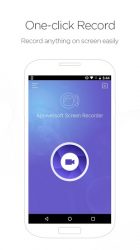
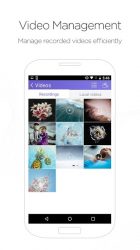
RECORDING FEATURES 1. Record Games It allows you to record all kinds of games on your phone. You can also choose to record your face and voice during the game recording. 2. Front camera recording Besides recording phone screen, it can also record your front camera, which will be very useful in game recordings. 3. Overlay icon This icon floats on the screen all the time so that you can start recording in any apps at any time. 4. Pause/Resume recording You can pause and resume recording at any time during recording. OTHER HIGHLIGHT FEATURES 1. Recording preferences You can set the right quality for your videos. Resolution: 360P, 720P, 1028P, etc. Bit-rate: 1 Mbps to 12 Mbps. Frame rate: 24 FPS ~ 60 FPS. 2. Show touches If you would like to see touch points clearly, just enable-Show touchesin Settings. 3. Share videos You can directly share the recorded videos via other apps on your phone. 4. Take Screenshot It allows you to take screenshot with the overlay icon. SUPPORT SPECIFICATION This app supports Android 5.0 and higher
Verdict
Should you install Apowersoft Screen Recorder?
Apowersoft Screen Recorder is an Android application available under the
Freeware
license — the APK is 6.0M.
We’ve catalogued it under
Productivity.
✓
Verified clean. Every Apowersoft Screen Recorder APK on SoftLookup is scanned for malware, spyware, and adware. We re-test on every update.
Sponsored
At a glance
Apowersoft Screen Recorder specifications
- Publisher
- Developer
- Last updated
- Feb 14, 2026
- License
- Freeware
- Operating system
- Android
- File size
- 6.0M
- Price
- Free
- Page views
- 914
Sponsored
Help fellow users decide. Share your experience with Apowersoft Screen Recorder.