In depth
A closer look at Gesture Lock Screen
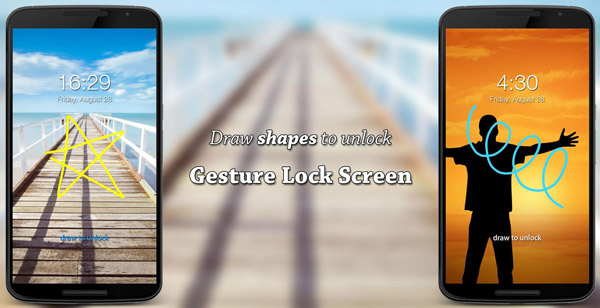
Gesture features Add/change/delete gesture Custom gesture colors Stealth/invisible mode: hide gesture strokes when drawing Supports both single stroke (one touch drawing) and multiple strokes Security features Draw gesture to unlock Enter recovery password or backup passcode to unlock (keypad lock screen) Enter password to change gesture Draw gesture to change password Draw gesture or enter recovery password to turn off locker Custom recovery password length (4~8-digit passwords supported) Customization - DIY features . App notifications (for Android 18 JELLY BEAN MR2 and newer) Show app notifications (unread messages, missed calls, music player, alarm) on lock screen Double tap app notification to draw gesture to unlock and open app Swipe to remove app notification Change app notifications- size and position . Background 5 HD theme backgrounds Pick background from gallery Set live wallpaper(LWP) as background (for ITAT and newer) . Screen item editor Intuitive WYSIWYG editor Drag to move screen item Tap or double tap item to show settings panel Drag to move settings panel . Date - time 3 date formats 2 time formats: 24-hour clock (military time), 12-hour clock 4 relative positions 3 alignments Display date in local language Custom date - time color, size and font Hide date, time . Slider message Change slider message Custom slider message color, size and font Hide slider message . Battery percentage indicator Change battery size Hide battery percentage indicator . Sounds Supports lock, unlock and error sounds Uses stock locker sounds initially Set local ringtones as lock - unlock - error sounds . 3 unlock animations . 9 Lock delays Gesture Lock Screen is a highly customizable DIY lock screen. FAQ- Why doesn-t Gesture Lock Screen work on my XIAOMI phone? Please follow the steps below to make the app work: Go to the app-s info page (phone settings ? apps ? downloaded ? Gesture Lock Screen) Scroll down to the bottom, click Permission manager Enable Display pop-up window Applies to the following known phones, Mi 3, Mi 4, Redmi 2, Redmi Note and other possible phones with a permission manager.
- Why cant I download the app? Please reference the link below for help: support.google.com/googleplay/troubleshooter/6241347/ Translate If you are interested in helping us translate the app to your native language or improve the existing translation, please contact us. Credits: Portuguese- Revenger Edits Russian- Sergey evlich, Void Vii Italian- Devis Pasquato Spanish- M. Grey Snchez French- Fredo Ah Turkish- Serhat Ordulu Latvian- itry gameplays Romanian- Mardale Lucian Please download Gesture Lock Screen and draw to unlock your phone.
Verdict
Should you install Gesture Lock Screen?
Gesture Lock Screen is an Android application available under the
Freeware
license — the APK is 1.8M.
We’ve catalogued it under
Productivity.
✓
Verified clean. Every Gesture Lock Screen APK on SoftLookup is scanned for malware, spyware, and adware. We re-test on every update.
Sponsored
At a glance
Gesture Lock Screen specifications
- Publisher
- Developer
- Last updated
- May 5, 2026
- License
- Freeware
- Operating system
- Android
- File size
- 1.8M
- Price
- Free
- Page views
- 1229
Sponsored
Help fellow users decide. Share your experience with Gesture Lock Screen.