In depth
A closer look at DicePlayer
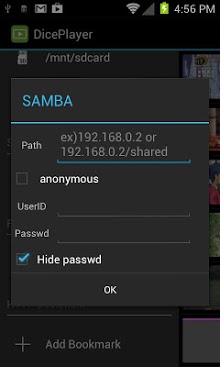
- If you have problems , please uninstall and re-install diceplayer. - If you have no speed control bar , change Settings->Select Player for your file extensions to Default. HW Accelerated Video Player with Playback speed control and Network support. Features : - POP-UP Play - Network Support : Windows Share / FTP / HTTP / WebDAV - Multiple audio track - Multiple subtitle track : external sub also suppoted. - HW Accelerations : no limitations like a network , containers. Formats- AVI,MOV,MV,FLV,AVI,3GP,3G2,ASF,WMV,MP4,M4V,TS,MTP,M2TS Playback speed control- up to x2.0 ( on HW )- audio pitch correction support Subtitle format- SSA,SMI,SRT, VoBSub (beta)- MV/MP4 embedded subtitle supported- Unicode/Multibyte charset supported. Transport- HTTP- RTP/RTSP- HTTP Live Streaming- FTP- Windows Share(SMB) Unsupported devices - Allwinner based devices - Amlogic based devices - Rockchip based devices => Use Stock player options on Settings menu - ST-Erricson NovaThor ( U8500 / U9500 ) => Need ICS update Limitations - Video capability depends on your devices HW video decodes- capability.
- Email address has been changed
Verdict
Should you install DicePlayer?
DicePlayer is an Android application available under the
Freeware
license.
We’ve catalogued it under
Productivity.
✓
Verified clean. Every DicePlayer APK on SoftLookup is scanned for malware, spyware, and adware. We re-test on every update.
Sponsored
At a glance
DicePlayer specifications
- Publisher
- Developer
- Last updated
- Feb 2, 2026
- License
- Freeware
- Operating system
- Android
- Price
- Free
- Page views
- 886
Sponsored
Help fellow users decide. Share your experience with DicePlayer.