In depth
A closer look at Memo - Notes
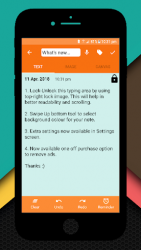
Hello and thanks for using the Memo app. Memo app provides many features to store your any type of information. Memo app is very user friendly, quick and reliable. It is packaged with following features: Type of Notes: Three types of notes you can store inside app:1. Text based notes2. Images3. Canvas, where you can draw anything in the note. Archive/Unarchive Notes: Simple swipe left-right to archive or unarchive your notes. Archive won-t delete your note copy in device, it will be temporary deleted which can be restored anytime from Archive Screen. This feature is useful when you want to temporary archive any notes without deleting it. Fingerprint Security: If your mobile phone is fingerprint capable, you can use this feature in Memo app to make your data more secure. With fingerprint, only after valid fingerprint authentication, notes will be visible to app user. Sync: You can synchronize your device notes with your Google Drive or Dropbox account. The Sync options will help you to store your notes in cloud. So that if you switch your mobiles or you want to get back your data, you can do it easily with this feature. Please note that, retrieving data will append notes to your existing notes in device instead of overwriting your device copy. This will make sure that only user can delete any of their data. Import/Export: There are two ways to take backup of your notes in your device. 1. Import/Export: This will take backup of your notes as CSV file. The file will be saved in your device storage. You can import the CSV file into Memo app to recover data. The imported data will be appended to your existing device notes. 2. Backup/Restore: This will take whole device copy and will store the whole database in your device storage. You can restore the same. Please note that, while restoring the data. It will overwrite the existing Memo database. Some extra features:- Long press notes to enable Multi-Selection option to delete or share multiple notes at once- Create Reminders of your text notes- Add widget to home screen. It will give you a stack of all the notes. If fingerprint is enabled, this feature won-t work for security purpose.
- Share text from any other applications to Memo- Supports native google Speech to Text feature.
- Create Tags and assign Tags to notes. Filter note by tags. Search notes. I am the sole developer. So if you guys have any queries or feedback, please let me know.
Verdict
Should you install Memo - Notes?
Memo - Notes is an Android application available under the
Freeware
license — the APK is 5.86 MB.
We’ve catalogued it under
Productivity.
✓
Verified clean. Every Memo - Notes APK on SoftLookup is scanned for malware, spyware, and adware. We re-test on every update.
Sponsored
At a glance
Memo - Notes specifications
- Publisher
- Abhirav
- Last updated
- May 5, 2026
- License
- Freeware
- Operating system
- Android
- File size
- 5.86 MB
- Price
- Free
- Page views
- 966
Sponsored
Help fellow users decide. Share your experience with Memo - Notes.