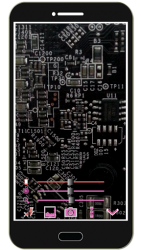
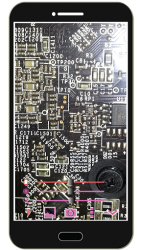
See Magnifier Camera Magnifying Glass + Camera in action
In depth
A closer look at Magnifier Camera Magnifying Glass + Camera
Please watch the teach video to know how to use it. Magnifier + Flashlight (best lighted magnifying glass app for free)Let your phone become a perfect smart magnifier or smart microscope. Handy! Easy to see small text.Open flashlight when start APP. You can also use it as a simple version of the skin quality check device. (Skin detector) [Quick Magnifier Camera Guideline]When you start camera, the APP will set the magnifier zoom to middle value. You can drag zoom seek bar to let magnifier zoom in/out. (Or use two fingers to let magnifier zoom in/out)When you start camera, the APP will auto detect the micro focus mode. If it exist, the APP will auto set to micro focus mode. If it doesn-t exist, the APP will set to auto focus mode. You can use the following method to change other settings:1. Press preview Region to focus.2. Drag red seek bar to change screen brightness.3. Drag pink seek bar 1 to change camera exposure.4. Drag pink seek bar 2 to let magnifier zoom in/out. (Or use two fingers to let magnifier zoom in/out on preview screen)5. Press the flashlight button to enable flashlight. 6. Press the pause/resume button to pause/resume preview. (freeze image) Then double click the freeze image to let magnifier zoom in/out. (Or two fingers to let magnifier zoom in/out)7. [Volume ey] : Use volume-down key to pause/resume preview. (freeze image) Use volume-up key to do camera capture. You can change other option in the camera settings page. [Others]1. You also can take a picture if you wish.2. When focus, the focus area of the image please select the best color change much. If you click on the region are biased in favor of a single color, it is not very good focus. In addition, the lens remains clear, wipe clean the glass will be better focus. And turn on the flashlight also can get a better focus.3. When camera focus, please don-t let the camera-s lens be too close to an object. It may be unable to focus. (According to the camera-s focal length will vary) Recommended External Photo Editor
Verdict
Should you install Magnifier Camera Magnifying Glass + Camera?
Magnifier Camera Magnifying Glass + Camera is an Android application available under the
Freeware
license — the APK is 2.61 MB.
We’ve catalogued it under
Productivity.
✓
Verified clean. Every Magnifier Camera Magnifying Glass + Camera APK on SoftLookup is scanned for malware, spyware, and adware. We re-test on every update.
Sponsored
At a glance
Magnifier Camera Magnifying Glass + Camera specifications