In depth
A closer look at ClockPlus DayDream
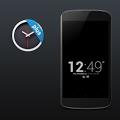
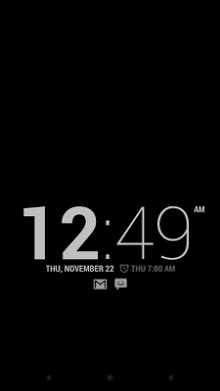
Clock plus: This is an improved version of the default Android Clock DayDream (screen saver) Those feature were added: - an optional style without the bold hour - adjustable brightness - battery status - show current date - show the next alarm if any - show system notifications (Android 4.3+) Older Android versions: - show unread Gmail Notification (if you have any in your Inbox) - show unread SMS Notification - show missed call Notification Android 4.2+ To enable go to Setings->Display->DayDream and select Clock plus. If you have it set in when to daydream menu and have your phone in the charger/dock it will not turn off its screen but displays this screensaver instead - Option to hide the app icon on the Android 4.2+ launcher (after hiding it in the settings, click on the launcher icon again and it should say App isn-t installed and the launcher icon should disappear. If it stays there, reboot your phone.) Support for devices with Android 4.0-4.1 - you have to launch the app manually and it will start the screensaver after 30s of inactivity and will keep the screen on as long as the device is charging
Verdict
Should you install ClockPlus DayDream?
ClockPlus DayDream is an Android application available under the
Freeware
license — the APK is 1.1M.
We’ve catalogued it under
Productivity.
✓
Verified clean. Every ClockPlus DayDream APK on SoftLookup is scanned for malware, spyware, and adware. We re-test on every update.
Sponsored
At a glance
ClockPlus DayDream specifications
- Publisher
- Developer
- Last updated
- May 5, 2026
- License
- Freeware
- Operating system
- Android
- File size
- 1.1M
- Price
- Free
- Page views
- 991
Sponsored
Help fellow users decide. Share your experience with ClockPlus DayDream.