In depth
A closer look at Instashare
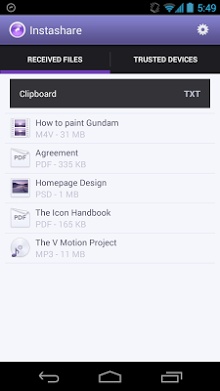
Transfer files the easy way, just long tap the file and we will handle the rest. Available for Android, iOS and OS X and Windows desktop. SIMPLE FILE SHARING You don-t need to be tech-savvy to share files. WORS WITHOUT INTERNET You don-t need to be connected to internet, just use local Wi-Fi to transfer file. SIMPLE TO USE No need to pair devices or setup transfer. Designed for quick and easy file sharing. CLIPBOARD TRANSFER Stop retyping long URLs and so on. Just Copy it and Transfer it in few seconds. Hold clipboard item - select device, it will be automatically copied to clipboard on second device. NO REGISTRATION Just open app and start sharing files, no need to enter email or passwords. NO FILE TYPE LIMITS You can transfer any file type, no restrictions. MP3, images, pdf, presentation and way more. SECURE Files are transferred only between your devices, without making copy somewhere in cloud.
Verdict
Should you install Instashare?
Instashare is an Android application available under the
Freeware
license — the APK is 2.0M.
We’ve catalogued it under
Productivity.
✓
Verified clean. Every Instashare APK on SoftLookup is scanned for malware, spyware, and adware. We re-test on every update.
Sponsored
At a glance
Instashare specifications
- Publisher
- Developer
- Last updated
- Jan 19, 2026
- License
- Freeware
- Operating system
- Android
- File size
- 2.0M
- Price
- Free
- Page views
- 1162
Sponsored
Help fellow users decide. Share your experience with Instashare.