In depth
A closer look at MP3 Video Converter
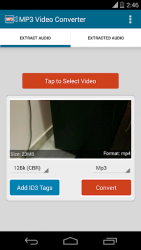
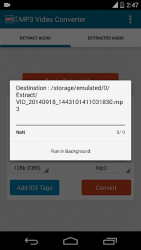
With MP3 Video Converter now you can easily extract audio from your video files. Simple process just tap select video to select video file and then tap convert to extract the audio in mp3 format. Location / target directory to save MP3 files can easily be updated on settings. Advanced features : 1. Bitrate: 8bit/s, 16bit/s, 24bit/s, 32bit/s, 64bit/s, 128bit/s, 192bit/s, 256bit/s.2. Option to update ID3 tags / meta information on the extracted mp3 files (title, album, artist)3. Supports various types of videos (3GP, FLV, MP4 and so on)4. Supports various types of audio (MP3, AAC) - Supports only ARMv7 and higher. Video to MP3 Converter use LGPL ffmpeg and libmp3lame libraries as codec.
Verdict
Should you install MP3 Video Converter?
MP3 Video Converter is an Android application available under the
Freeware
license — the APK is 12.33 MB.
We’ve catalogued it under
Productivity.
✓
Verified clean. Every MP3 Video Converter APK on SoftLookup is scanned for malware, spyware, and adware. We re-test on every update.
Sponsored
At a glance
MP3 Video Converter specifications
- Publisher
- XCS Technologies
- Last updated
- Feb 17, 2026
- License
- Freeware
- Operating system
- Android
- File size
- 12.33 MB
- Price
- Free
- Page views
- 908
Sponsored
Help fellow users decide. Share your experience with MP3 Video Converter.