
Android · Free download · Productivity
IP Tools: WiFi Analyzer7.7.2
- Operating system
- Android
- File size
- 3.72 MB
- License
- Freeware
- Last updated
- Jan 29, 2026
56 downloads·971 page views
Android · Free download · Productivity
56 downloads·971 page views
Screenshots
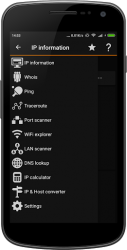
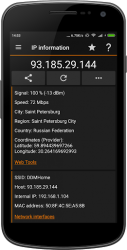
In depth
The app combines the most popular network utilities usually found in desktop PC. They will help you fix a network problem easily or optimize the network when you are hundreds of kilometers away (i.e. not at work :-)) IP Tools has a simple, intuitive interface, so you can receive within seconds full information on your network, find out internal or external IP (with "My ip" feature), SSID, BSSID, broadcast address, gateway, network mask, country, region, city, the providers geographical coordinates (latitude and longitude), whois and other basic information. The IP Tools app provides access to the most popular network utilities that administrators and users often use on their computers. Features:
Ping
LAN Scanner
Port Scanner
DNS Lookup
Whois Provides information about a website and its owner
Router Setup Page
Traceroute
WiFi Analyzer
IP address with "My ip" feature
Connection Log
IP Calculator
IP - Host Converter
And much more- WiFi analyzer will help you get full and clear picture of your network state. With IP Tools, analysis and optimization are fast, easy and absolutely friendly. The app is improved continuously. Its developers allow for customer opinions and modify the product offering new, more functional and handy versions.
The apps benefits go far beyond the above list. However, even those mentioned are enough to dismiss doubts, download the IP Tools network utilities to your smartphone and assess advantages from using them right now. Warning: Permission ACCESS_COARSE_LOCATION ONLY FOR WiFi network Analyzer. It's Android OS requirement.
Verdict
IP Tools: WiFi Analyzer is an Android application available under the Freeware license — the APK is 3.72 MB. We’ve catalogued it under Productivity.
At a glance
Help fellow users decide. Share your experience with IP Tools: WiFi Analyzer.