In depth
A closer look at Q Remote Control
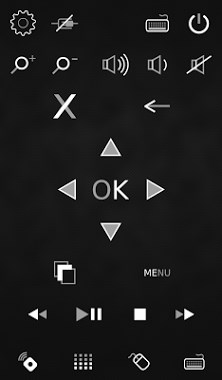
With QRemoteControl installed on your smartphone you can easily control your computer or tablet via WiFi. For example by using the touchpad of your phone you can open the internet browser and navigate to the pages you want to visit. Furthermore it gives you the opportunity to use the music player or your media center without being next to your pc or laptop. Many of our users also make use of it while giving a presentation. Summarizing QRemoteControl allows you to do almost everything you would be able to do with a mouse and a keyboard but also from a greater distance. Even powering on the computer via WLAN is supported by this app. To make these replacements possible QRemoteControl offers you a touchpad, a keyboard, multimedia keys and buttons for starting applications. The fresh design makes QRemoteControl an eye-catcher. Moreover several color designs for the user interface are available to adapt it to your individual flavor. Automatically switching from portrait to landscape mode is another feature making it perfectly fitting for the user in every situation.
Verdict
Should you install Q Remote Control?
Q Remote Control is an Android application available under the
Freeware
license — the APK is 11M.
We’ve catalogued it under
Productivity.
✓
Verified clean. Every Q Remote Control APK on SoftLookup is scanned for malware, spyware, and adware. We re-test on every update.
Sponsored
At a glance
Q Remote Control specifications
- Publisher
- Developer
- Last updated
- Feb 9, 2026
- License
- Freeware
- Operating system
- Android
- File size
- 11M
- Price
- Free
- Page views
- 930
Sponsored
Help fellow users decide. Share your experience with Q Remote Control.