
Android · Free download · Productivity
EBookDroid - PDF and DJVU Reader2.4.2.1
- Operating system
- Android
- File size
- 8.77 MB
- License
- Freeware
- Last updated
- Feb 2, 2026
53 downloads·1017 page views
Android · Free download · Productivity
53 downloads·1017 page views
Screenshots
In depth
EBookDroid provides flexible font mapping for PDF documents:
If an external font is found in the same folder with document, this font will be applied.
Also, user can define a list of directories (/sdcard/fonts by default) where external fonts can be found.
If an external font in a PDF document has the same family name as one of the font found in these directories, the found font will be applied.
Otherwise, the appropriate NimbusL font will be used. EBookDroid 2.0 provides the following extra tools:
Text selection and external dictionary support.
Text highlighting
Free-hand annotations.
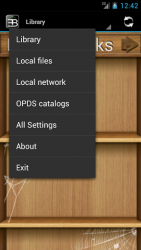
Text notes and page notebooks. Collaboration with electronic publication sites and access to online ebook catalogs is allowed by the supported OPDS protocol. This is the reason the app is requiring permissions for network access. EBookDroid allows you to customize the way you read on a per book basis: each document's layout can be tailored to give you the best reading experience and all settings will be remembered the next time you will open it.
Whatever your document, be it a two-faced xerox, a book with wide asymmetric margins or a multi-column article, EBookDroid provides you with features to split pages, automatically or manually crop margins and instantly zoom to a column's content.
Verdict
EBookDroid - PDF and DJVU Reader is an Android application available under the Freeware license — the APK is 8.77 MB. We’ve catalogued it under Productivity.
At a glance
Help fellow users decide. Share your experience with EBookDroid - PDF and DJVU Reader.