In depth
A closer look at piHotKeys - Remote PC Control
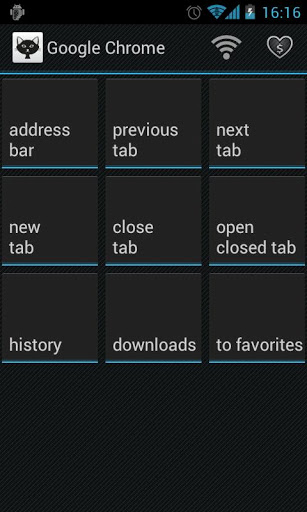
This is a open source app to control your PC with Android touchscreen using hot keys. No more Ctrl-C, Ctrl-Shift-Z or tons of other shortcuts to remember just touch the button on the screen!
Features:
available on-screen hotkeys depend on the active PC application
create custom hotkey set for any PC app
gestures support (switch windows, scroll, Enter, etc)
connection via WiFi or USB
use your Android volume hardware buttons to control your PC
optimized for ICS
app looks amazing both on Android phones and tablets
For your convenience, please, install free piServer on your PC before using this application. piServer is available here: Pilgr.com/s
Useful tips:
Double tap for enter
With one finger on the screen tap with the other to switch between applications
Scroll the screen up/down with two fingers to scroll the active page on your PC
Hot keys support for:
Photoshop
PowerPoint
Google Chrome, Firefox, Internet Explorer
VLC, Winamp, Windows Media Player, SPlayer, AIMP, MPlayer, Media Player Classic
IntelliJ IDEA, Eclipse
Skype
Far Manager
Verdict
Should you install piHotKeys - Remote PC Control?
piHotKeys - Remote PC Control is an Android application available under the
Freeware
license.
We’ve catalogued it under
Productivity.
✓
Verified clean. Every piHotKeys - Remote PC Control APK on SoftLookup is scanned for malware, spyware, and adware. We re-test on every update.
Sponsored
At a glance
piHotKeys - Remote PC Control specifications
- Publisher
- Developer
- Last updated
- May 4, 2026
- License
- Freeware
- Operating system
- Android
- Price
- Free
- Page views
- 1033
Sponsored
Help fellow users decide. Share your experience with piHotKeys - Remote PC Control.