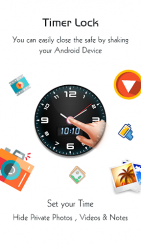
Timer Lock Use this Timer vault to hide pictures, hide photos, hide videos and use app lock secretly inside app. No one will have the idea that there is a highly secured vault ingeniously hiding in your clock. Timer Lock integrates a powerful vault, which comprehensively protects all the backed up photos and videos in it, while offering unmatched usability. Prying eyes now which App lock you are using and may uninstall to break your security. This app locker is designed as simple Clock. Timer Clock vault- Gallery Lock app open only by secret time that is set by you other wise it functional as simple clock. This way no one knows your mobile had installed gallery lock and you can secretly hide pictures to keep safe from others by this Smart clock. A high-security vault for photos and videos hidden in a clock With the new TimerLock app, it is not only a timeless clock with an alarm function, but also a high security vault for your personal photos and videos. The vault itself is completely invisible, hidden in the design of the clock. Try Timer Locker app lock and hide pictures so that hidden pictures not visible in photo gallery. With the latest security technologies Timeer Locker keeps all of your pictures and videos militarily secure, because the entire contents of the vault is encrypted with the strong algorithm. Features: - Import and hide pictures, hide video from photo gallery. - Capture photos and record videos from camera by this Gallery Lock and hide photos and video inside app. - Create new private hidden note with inbuilt editor inside Gallery Locker. - Finger Print Detection will help you to enter into vault or open app lock without need to enter password in supported devices. - Use restore function from Gallery locker when you want to show pictures and video in mobile gallery. - You can manage media by create, rename, delete folders and files inside app. - Lock Apps by App Lock feature available by both Password Lock and Pattern Lock. - Locked apps will not open without password or pattern lock that is set by you. Smart App Lock Features: - Intruder Selfie: Selfie will be automatically taken of person who trying to break your app lock security with wrong PIN or pattern. - Fake Cover App Lock: your apps and its lock can be cover with force close screen which simulates that opened app is closed by error. only you know the trick to get real app lock and open your apps. - Finger Print Unlock: you can use your real fingerprints registered in your phone to quick unlock apps and calculator also. Device administrators
Verdict
Should you install Timer Lock - Photo Video Hide?
Timer Lock - Photo Video Hide is an Android application available under the
Freeware
license — the APK is 6.51 MB.
We’ve catalogued it under
Security.
✓
Verified clean. Every Timer Lock - Photo Video Hide APK on SoftLookup is scanned for malware, spyware, and adware. We re-test on every update.