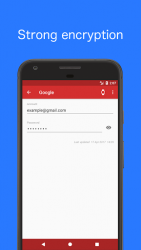
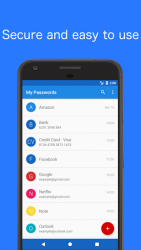
Tired of remembering multiple passwords or annoyed of forgetting them? Looking for a secure and easy way of saving all those passwords and sensitive data? This application will help you to store all your passwords easily and safely using Advanced Encryption Standard (AES-256). The only thing you have to do is to remember a master password which is used as encryption key. My Passwords is 100% secure since it does not require internet permission. Quick and easy access AES-256 data encryption Backup and restore your data No internet permission Built in password generator Auto exit when screen turns off Multi-Window support large number of entries [PRO] Auto backup [PRO] Export and import csv files [PRO] Self destruction [PRO] Clipboard auto clear [PRO] Enter using fingerprint [PRO] Theme selection [PRO] Wearable app Backup - Restore:If you have multiple devices, you can share easily your passwords with all your devices without having to retype them using Dropbox or similar application. Simply create a backup on a device and move it to another where it can be restored using the same master password. - To backup your database please go to: More- Database- Backup database- To restore your database please go to: More- Database- Restore database Use of permissions:- Photos/Media/Files: Allows the app to access the storage for writing/reading backup and csv files- Use fingerprint hardware: Allows the app to use the fingerprint sensor for authentication- In-app purchases: To be able to purchase the PRO version and unlock the additional features- Close other apps: Allows the app to auto exit by closing itself when the screen turns off Notes:- It is strongly recommended that you backup your encrypted database at regular intervals- If the master password is lost the stored data cannot be recovered because of the missing sync option- You can group and sort your entries by color
Verdict
Should you install My Passwords - Password Manager?
My Passwords - Password Manager is an Android application available under the
Freeware
license — the APK is 2.85 MB.
We’ve catalogued it under
Security.
✓
Verified clean. Every My Passwords - Password Manager APK on SoftLookup is scanned for malware, spyware, and adware. We re-test on every update.