In depth
A closer look at Combination Lock
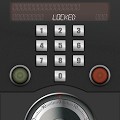
Combination Lock is a custom screen lock application for Android Smart Phones and Tablets. Whether you are after increased security or simply a unique way of unlocking your device, Combination Lock acts as a screen lock to give you an alternative way to secure your device with as many different pattern combinations, as complex or simple as you like. It also allows you to record lock patterns for apps which allows you to access these apps from the lock screen without unlocking your device. Features: -Record complex or simple lock patterns to be enforced on your screen lock -Record and link a lock pattern to applications (gives easy access from lock screen) -Enable invisible passwords -Works with many different Home Launchers Please note: For Combination Lock to work correctly, you must disable the default Screen Lock option on your device (Settings > Location - Security > then disable Screen unlock)
Verdict
Should you install Combination Lock?
Combination Lock is an Android application available under the
Freeware
license — the APK is 9.3M.
We’ve catalogued it under
Security.
✓
Verified clean. Every Combination Lock APK on SoftLookup is scanned for malware, spyware, and adware. We re-test on every update.
Sponsored
At a glance
Combination Lock specifications
- Publisher
- Developer
- Last updated
- May 3, 2026
- License
- Freeware
- Operating system
- Android
- File size
- 9.3M
- Price
- Free
- Page views
- 832
Sponsored
Help fellow users decide. Share your experience with Combination Lock.