Android · Free download · Lifestyle
ClockQ - Digital Clock Widget3.2.1
- Operating system
- Android
- File size
- 4.12 MB
- License
- Freeware
- Last updated
- Feb 16, 2026
63 downloads·1417 page views
Android · Free download · Lifestyle
63 downloads·1417 page views
Screenshots
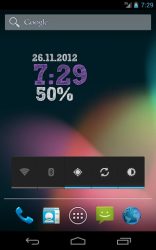
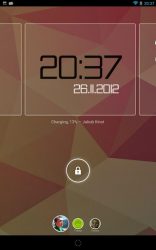
In depth
Features:
Choose between 26 GREAT FONTS (38 for Premium users)
4
2 and 2
1 widgets
Custom colors
Transparency option
LAYOUT EDITOR move, rotate and scale widget elements (Premium users)
Rotation option
Scale option
Shadow effect
Show date function
Show AM/PM
24h/12h option
Tap to open custom application
Weather information C/ F
Battery level info (Premium users)
Lockscreen support (Android 4.2 and higher)
Tablet UI
Holo theme, colors and fonts This application contains Advertisment.
TO REMOVE ADVERTISMENT AND GET MUCH MORE FEATURES, PLEASE UNLOC AD-FREE PREMIUM VERSION INSIDE APPLICATION The widget can be added to your homescreen by long-tapping on the homescreen or selecting from widget drawer (Android 4+). NEW: Widget can be added to your lockscreen on Android 4.2+ NOTE: If you are experiencing cropped text, press menu and select Reset Settings
Verdict
ClockQ - Digital Clock Widget is an Android application available under the Freeware license — the APK is 4.12 MB. We’ve catalogued it under Lifestyle.
At a glance
Help fellow users decide. Share your experience with ClockQ - Digital Clock Widget.