Android · Free download · Collection
Always on Display-AMOLED1.0.6
- Operating system
- Android
- File size
- 6.19 MB
- License
- Freeware
- Last updated
- May 3, 2026
95 downloads·871 page views
Android · Free download · Collection
95 downloads·871 page views
Screenshots
In depth
How to use this App (Always on Screen): 1. Open Always on Display-AMOLED, start service
3. To weak up your phone, double tap on screen
4. To turn off screen just press power button
5. The user can on or off service. Option Display amoled screen
1- while charging and discharging
2- while only charging
3- while only discharging Main features S8 Clock Style
Add Preview Option
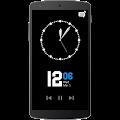
Add Music Controller
Easy to use Always on Amoled.
Great design and awesome performance.
Enable/Disable showing notifications
Automatic rules preserve battery using predefined rules
Option to start display after screen lock activated
Handle display during calling
Change font size, color.
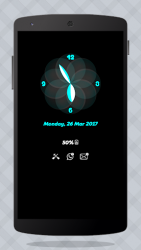
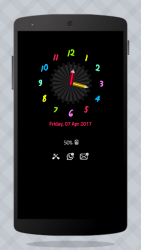
Change clock style (digital, analog).
Display battery level.
Display notifications information.
Display weather info.
Always on' screen on (double tap will turn screen the on).
Select the information that will be displayed on the screen.
Change display position of info on the screen.
Auto ON/OFF Screen feature. I wish app (Always on Display-AMOLED) will make your life better and more convenient.
Verdict
Always on Display-AMOLED is an Android application available under the Freeware license — the APK is 6.19 MB. We’ve catalogued it under Collection.
At a glance
Help fellow users decide. Share your experience with Always on Display-AMOLED.