In depth
A closer look at UGV Driver Assistant
UGV Driver Assistant - video recorder (DVR) with additional driver-assistance modules
- Warning! You still have to keep your eyes on the road regardless of using this app or not.
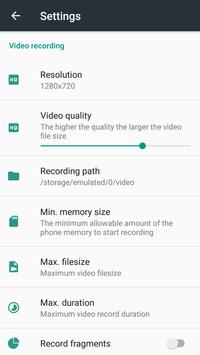
- Video recorder (video recording using the rear camera, background recording, subtitles (date, time, speed, location), augmented reality, fragment recording, temporary auto-pause recording when camera doesn't detect motion)
- Distance control (vehicles, pedestrians detection and warnings of dangerous approach to them)
- Road sign notifications, speed limit warnings
- Vehicle trajectory control (road edge detection and warnings in case of deviation from the road)
How to use
1. The recommended device specifications to use all features: CPU 8 Cores 2.0 GHz, 2 GB Memory (RAM)
2. Using car smartphone mount, attach your device to the windshield of your car
3. Start the app and adjust the position of the smartphone so that there is no "Camera position is incorrect"
4. Set the camera (smartphone) height and the width of your car
5. Start recording by pressing the REC button and activate the driving assistance modules you need
- If video recording isn't smooth then try to disable the driver-assistance modules and the augmented reality option (your device may not have enough resources)
Requirements
Device requirements
Android 4.4+
Verdict
Should you install UGV Driver Assistant?
UGV Driver Assistant is an Android application available under the
Freeware
license — the APK is 15.4 MB.
We’ve catalogued it under
Automotive.
✓
Verified clean. Every UGV Driver Assistant APK on SoftLookup is scanned for malware, spyware, and adware. We re-test on every update.
Sponsored
At a glance
UGV Driver Assistant specifications
- Publisher
- Infocom Ltd
- Last updated
- May 4, 2026
- Requirements
- Android 4.4+
- License
- Freeware
- Operating system
- Android
- File size
- 15.4 MB
- Price
- Free
- Page views
- 1071
Sponsored
Help fellow users decide. Share your experience with UGV Driver Assistant.