Android · Free download · Network
Microsoft Edge42.0.2.2864
- Operating system
- Android
- File size
- 77.1 MB
- License
- Freeware
- Last updated
- May 5, 2026
11 downloads·1305 page views
Android · Free download · Network
11 downloads·1305 page views
Screenshots
In depth
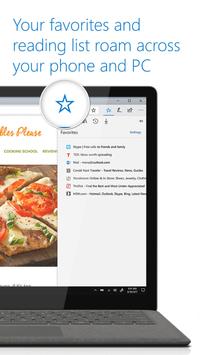
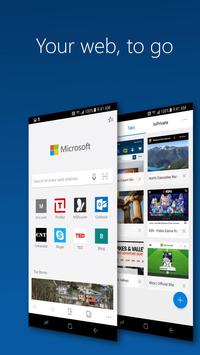
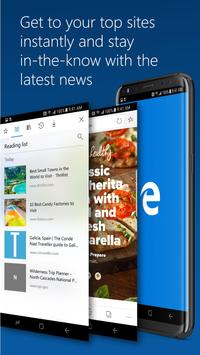
Pmicrosoft edge is microsoft's latest official browser. Every windows 10 user can get a continuous experience while browsing from device to device with windows 10. The content and data that you log into your windows 10 browsing session will automatically be transferred to your other devices. It also means you can sync your android browser with your pc. No big fuss. As expected microsoft edge is designed to provide all the features you need from a high-end browser. Keep your tabs open. You can browse anonymously. Manage bookmarks. Switch your browser default. Make your interface custom. All here. The other unique features include the marking of pages to read offline and the option to turn on 'reading mode' with just a quick tap. Whenever you hit this button in the top right of your screen you'll switch to an adapted version of your content making for much more comfortable reading. Edge is an excellent android browser. In the near future it will prove a viable alternative to chrome firefox opera and other browser giants.
Pmicrosoft edge is microsoft's latest official browser. Every windows 10 user can get a continuous experience while browsing from device to device with windows 10. The content and data that you log into your windows 10 browsing session will automatically be transferred to your other devices. It also means you can sync your android browser with your pc. No big fuss. As expected microsoft edge is designed to provide all the features you need from a high-end browser. Keep your tabs open. You can browse anonymously. Manage bookmarks. Switch your browser default. Make your interface custom. All here. The other unique features include the marking of pages to read offline and the option to turn on 'reading mode' with just a quick tap. Whenever you hit this button in the top right of your screen you'll switch to an adapted version of your content making for much more comfortable reading. Edge is an excellent android browser. In the near future it will prove a viable alternative to chrome firefox opera and other browser giants.
Requirements
Android 4.4+
Verdict
Microsoft Edge is an Android application available under the Freeware license — the APK is 77.1 MB. We’ve catalogued it under Network.
At a glance
Help fellow users decide. Share your experience with Microsoft Edge.