In depth
A closer look at Google Pay
Google Pay is the fast, simple way to pay online, in stores and more. Book a trip, grab a meal, see a show, and enjoy new experiences all without your wallet. Getting started on the web or with the app is easy. Just add a card, and youre ready to go.
Send money or split the bill. In addition to sending or requesting money from the apps new Send tab, you can also split any Google Pay purchase with up to five friends. Just tap on a recent purchase in the app and request money all in one go.
Shop smarter. Google Pay lets you keep everything you need to speed through checkout on your phone. Plus, the Home tab gives you all the information you need, right when you need it. See your recent transactions, find nearby stores, and enjoy access to rewards while you shop.
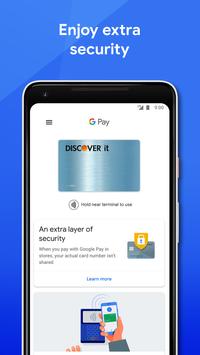
Encrypted and secured by Google. Google Pay protects your payment info with multiple layers of security, using one of the worlds most advanced security infrastructures to help keep your account safe. And when you pay in stores, Google Pay uses an encrypted number instead of your actual card number, so your real card details stay safe.
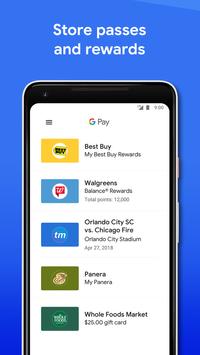
Go with just your phone. From daily commutes to cross-country flights, you can go anywhere with Google Pay. Simply save your tickets and transit passes, use your phone at the gate, and go.
Requirements
Device requirements
Android 5.0+
Verdict
Should you install Google Pay?
Google Pay is an Android application available under the
Freeware
license — the APK is 15.2 MB.
We’ve catalogued it under
Accounting.
✓
Verified clean. Every Google Pay APK on SoftLookup is scanned for malware, spyware, and adware. We re-test on every update.
Sponsored
At a glance
Google Pay specifications
- Publisher
- Google LLC
- Last updated
- May 5, 2026
- Requirements
- Android 5.0+
- License
- Freeware
- Operating system
- Android
- File size
- 15.2 MB
- Price
- Free
- Page views
- 1408
Sponsored
Help fellow users decide. Share your experience with Google Pay.