In depth
A closer look at Darker (Screen Filter)
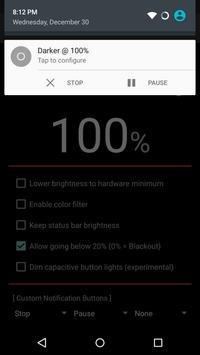
Darker can lower your screen brightness to extremely low levels, to help prevent eyestrain during the night. Use the built-in color filter to adjust the color of your display, perfect for filtering out harsh white backgrounds during the night.
This app is fully functional and does not include advertisements. Additional paid features are unlockable through an In-app purchase.
Xiaomi device / MIUI users need to go to Settings †’ Installed apps †’ Darker †’ Other permissions, and enable "Display pop-up window" for Darker to work correctly.
Paid features include:
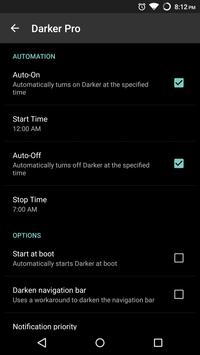
» Auto-On & Auto-Off
» Start at boot
» Lower brightness below 20%
» Darken navigation bar
» Custom filter colors
» Root mode
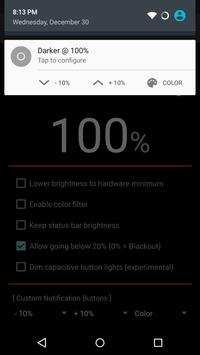
» Customizable notification buttons
- Up to three buttons can be added for quick access.
- Buttons to increase and decrease the brightness (+5%, -5%, +10%, -10%)
- Buttons to set a specific brightness (@0%, @10%, @20%, ... , @90%, @100%)
- Quick toggles (stop, pause, reset, color filter)
Requirements
Device requirements
Android 4.1+
Verdict
Should you install Darker (Screen Filter)?
Darker (Screen Filter) is an Android application available under the
Freeware
license — the APK is 128.1 KB.
We’ve catalogued it under
Health.
✓
Verified clean. Every Darker (Screen Filter) APK on SoftLookup is scanned for malware, spyware, and adware. We re-test on every update.
Sponsored
At a glance
Darker (Screen Filter) specifications
- Publisher
- mlhgdevelopment
- Last updated
- Feb 17, 2022
- Requirements
- Android 4.1+
- License
- Freeware
- Operating system
- Android
- File size
- 128.1 KB
- Price
- Free
- Page views
- 1577
Sponsored
Help fellow users decide. Share your experience with Darker (Screen Filter).