In depth
A closer look at PixelLab - Text on pictures
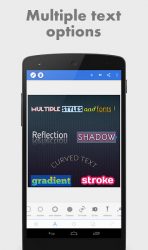
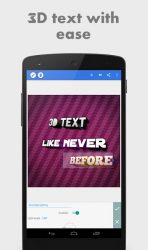
Features: Text: add and customize as much text objects as you want-3D Text: create 3d texts and overlay them on top of your images, or have them stand on their own in a cool poster-Text effects: make your text stand out with dozens of text effects like : Shadow, Inner Shadow, Stroke, Background, Reflection, Emboss, Mask, 3d text- Text color: Set your text to any fill option you want, be it a simple color, a linear gradient, a radial gradient, or an image texture. Text font: choose from 100+, hand picked fonts. Or use your own fonts ! Stickers: add and customize as much stickers, emojis, shapes, as you want- Import images: add your own images from gallery. This could come in handy when you have your own stickers, or you want to composite two images- Draw: pick a pen size, a color, then draw anything you want. after that the drawing acts like a shape and you can resize it, rotate it, add shadow to it- change the background: with the possibility of making it : a color, a gradient or an image. Save as a project: you can save anything you do as a project. It-ll be available for use even after closing the app! Remove the background: be it a green screen, a blue screen or simply a white background behind an object in an image that you found on Google images; PixelLab can make it transparent for you. Edit image perspective: you can now perform perspective editing (warp). Handy for, replacing a monitor-s content, changing a road sign-s text, adding logos on boxes- Image effects: enhance your pictures- look by applying some of the available effects, which include vignette, stripes, hue, saturation- Export your Image: save or share at any format or resolution you want, For easy access you can use the Quick Share buttons to share the image to social media apps with a click of a button (ex : facebook,twitter, instagram-) Create memes: using the provided meme preset, you can easily have your memes ready for sharing in matter seconds. Browse quotes and insert anything you like, into what you-re making ! If you have a suggestion, a question or you want to report a bug please use the provided feedback function or contact me directly via email. PixelLab works on all android versions (2.3+) and all screen sizes- This app includes minimal ads, which can be easily disabled (for free). To do so : -Go to /storage/pixellab (where the final images are saved) -Create An empty file with the name hideAdsPlease
Verdict
Should you install PixelLab - Text on pictures?
PixelLab - Text on pictures is an Android application available under the
Freeware
license.
We’ve catalogued it under
Photography.
✓
Verified clean. Every PixelLab - Text on pictures APK on SoftLookup is scanned for malware, spyware, and adware. We re-test on every update.
Sponsored
At a glance
PixelLab - Text on pictures specifications
- Publisher
- Developer
- Last updated
- Feb 13, 2026
- License
- Freeware
- Operating system
- Android
- Price
- Free
- Page views
- 1263
Sponsored
Help fellow users decide. Share your experience with PixelLab - Text on pictures.