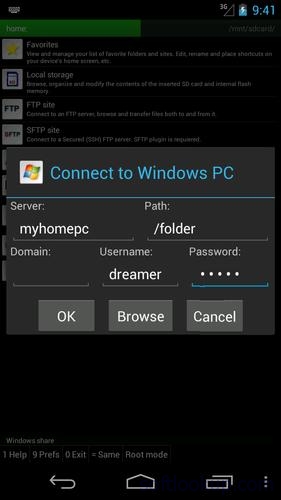
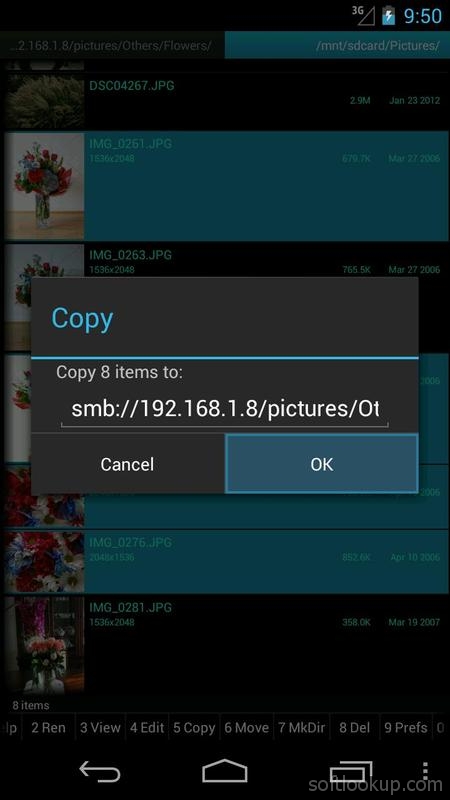
A plug-in to the "Ghost Commander file manager" to access to Windows network shared folders (also referenced as SMB, Samba, CIFS or even NetBios).
Please note: Make sure you've installed the Ghost Commander application itself before attempting to download and install this plugin.
To use this plugin, launch Ghost Commander and navigate to 'Menu > Location > Home > Windows share'. Alternatively, scroll along the toolbar until you arrive at 'Home' and then tap it. Enter your server name and credentials (if any), then tap the 'Connect' button.
Once connected, you should be able to see a list of Windows machines or Samba servers on the network.
Tip: Better have the windows account with password. A passwordless windows account might not work.
Please visit the website for more details. Email the developer if you have any questions.
Requirements
Device requirements
Android 1.6+
Verdict
Should you install SMB plugin for Ghost Commander?
SMB plugin for Ghost Commander is an Android application available under the
Freeware
license — the APK is 216.9 KB.
We’ve catalogued it under
Libraries.
✓
Verified clean. Every SMB plugin for Ghost Commander APK on SoftLookup is scanned for malware, spyware, and adware. We re-test on every update.