The best screen lock application that will protect your privacy, and will not allow to invade your phone illegally
In our lock screen, you can select any wallpaper, backgrounds or your personal photos and use it as background for the lock screen.
Features:
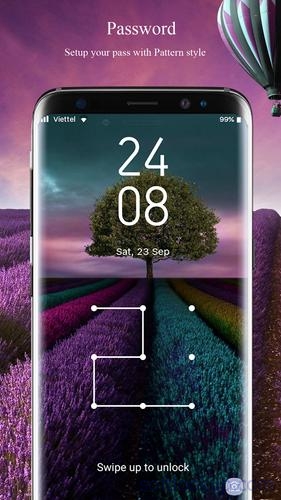
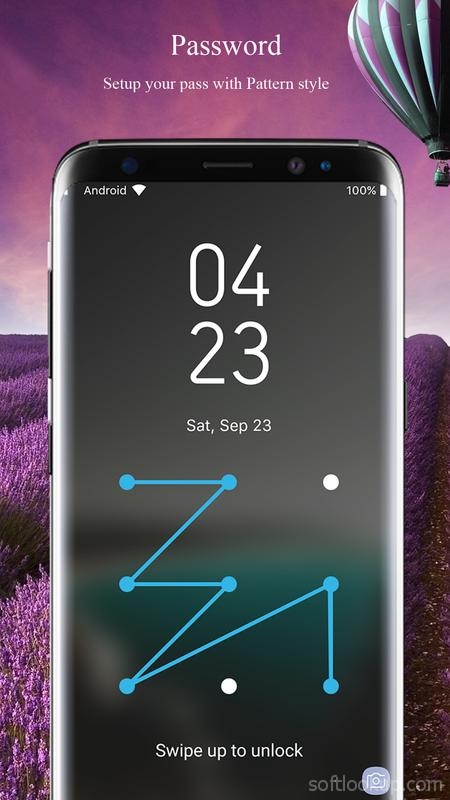
- Lock Screen HD wallpapers of Galaxy S8 Edge and Plus - Turn on/off lock screen very easy and fast - Nice interface, silky smooth effect, no resource wastage - 100% FREE - Galaxy S8 Lock Screen a multi-HD galaxy s8 wallpapers - Allows you selected images from gallery and camera - Set PIN to enhance screen lock security - Many wallpapers for Samsung S9 - Block HOME/MENU/BAC key, no one can access your phone without correct password. - Support customization for Pattern lock screen - Enable/Disable Pattern lock screen - Enable/Disable Password (If you disable or not enable password then you just need Swipe up to unlock) - Change pattern password - Change color and size of date/time on lock screen - Change format for date time (12h or 24h) - Support customized unlock sentence(default is "> Swipe up to unlock") - Enable/Disable sound - Enable/Disable vibration - Set time to show for lock screen - Display real time clock and date - Set custom background, theme, wallpaper for your lockscreen - Custom background from gallery. -More features that you will absolutely love - S8 Lock screen is compatible with the latest devices such as: Galaxy S7 Edge, Galaxy S8 Plus, Xperia XZ, LG V30, LG V10, Galaxy Note 8, Note 7, Nexus 5X, 6P, Huawei, Xiaomi...
How to use "S8 Lock screen" app?
1. Download and install "Lock screen for Galaxy S8 edge" app on Google Play. 2. Open app and go to settings 3. Enable lock screen 4. Enable pattern password for s8 lock screen 5. Go to "Change wallpapers" to change galaxy s8 wallpapers on lock screen
"Lock Screen for S8" - a great theme for those who want his phone looked expensive and fashionable Download "Lock screen for s8" now and you wont regret it!
If you encounter any problems while using my application or would like to contribute to my application, you just feedback to my Gmail: Tedofu1306@gmail.com
I will hard working for your problems or solution.
Your feedback is important with me. Submit your review!!
If you love this photo love locker application, please give 5 stars to encourage developers.
Requirements
Device requirements
Android 4.2+
Verdict
Should you install Lock screen for Galaxy S8 edge?
Lock screen for Galaxy S8 edge is an Android application available under the
Freeware
license — the APK is 17.4 MB.
We’ve catalogued it under
Lifestyle.
✓
Verified clean. Every Lock screen for Galaxy S8 edge APK on SoftLookup is scanned for malware, spyware, and adware. We re-test on every update.