In depth
A closer look at GameBox Launcher Beta
GameBox Launcher takes the gaming experience to a whole new level for enthusiastic gamers.
Check all your installed games in one place, customize cover images, and find information about games fast.
If you want to use your smartphone like a game console, try GameBox Launcher.
Main Features:
1. Give your smartphone a total makeover.
- This game console-like default launcher has outstanding usability.
2. Collectively manage your games in one place.
- Now you can find and run your games more quickly.
3. Your games, your design.
- Customize cover images to complete a collection of your own.
4. Read up-to-date information all in one spot.
- You can now access game-related bookmarks and YouTube channels more easily.
5. Customize your gaming environment easily.
- Adjust the game settings according to the performance of your smartphone, and create your own gaming environment.
6. See the most popular games in the smart launcher.
- Check out popular games and newly released titles every day.
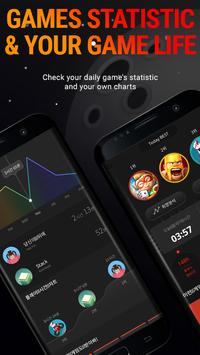
7. Follow daily updates to the game charts.
- Find out what's happening in 5 different chart catagories, including Samsung smartphone user votes.
8. eep up with unmissable game events.
- Now the home screen only displays game-related notifications.
9. Basic features are still supported.
- An awesome widget and easy-to-use apps will always be included.
- How to change the default launcher
Go to Settings -> Applications -> Default applications -> Home screen,
and change the current home screen to the desired home screen.
(TouchWiz Home is the default launcher for Samsung smartphones.)
- Supported devices
Android devices running over the Lolipop. (Some devices may not be supported.)
It should be supported till Oreo as beta.
The following permissions are required for the app service. For optional permissions, the default functionality of the service is turned on, but not allowed.
[Required permissions]
- Storage : Purpose for storing and using coverimages for each application
[Optional permissions]
- Contacts : Purpose of providing services that need to be linked with registered google account information
- Call : Purpose of providing notification count
Requirements
Device requirements
Android 5.0+
Verdict
Should you install GameBox Launcher Beta?
GameBox Launcher Beta is an Android application available under the
Freeware
license — the APK is 26.2 MB.
We’ve catalogued it under
Collection.
✓
Verified clean. Every GameBox Launcher Beta APK on SoftLookup is scanned for malware, spyware, and adware. We re-test on every update.
Sponsored
At a glance
GameBox Launcher Beta specifications
- Publisher
- Samsung Electronics Co., Ltd.
- Last updated
- Jan 24, 2026
- Requirements
- Android 5.0+
- License
- Freeware
- Operating system
- Android
- File size
- 26.2 MB
- Price
- Free
- Page views
- 1249
Sponsored
Help fellow users decide. Share your experience with GameBox Launcher Beta.