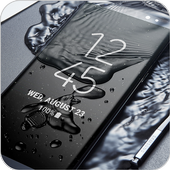
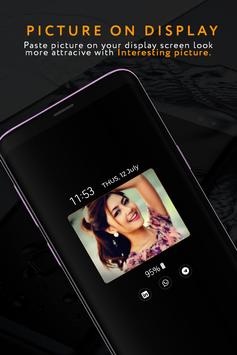
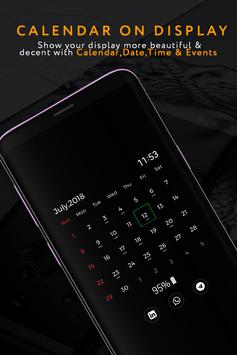
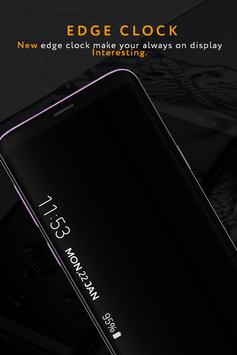
See Always On Display : Amoled and Clock Display in action
In depth
A closer look at Always On Display : Amoled and Clock Display
Always on Display is a super Amoled app that display basic information like Mobile Time , Date , Notification , music control and much more on black screen when your mobile Screen is "Off". keep your mobile screen ON all the time with the Digital clock , analog clock , calendar clock , Emoji clock , picture clock with notification , Date , Time and more and all without having to touch the phone . What's going on your phone,simply take your mobile out of your pocket , just turn your face at mobile screen and enjoy all these feature of Samsung Galaxy S7 , Galaxy S7 edge, Galaxy S8 , Galaxy S9 and Galaxy S9 plus.
How to use this App (Always on Screen - AMOLED):
1. Open Always on Display-AMOLED, start service 3. To wake up your phone, double tap on screen 4. To turn off screen just press power button 5. The user can on or off service.
Option Always on Display- AMOLED & Watch Black Wallpapers 1- while charging and discharging 2- while only charging 3- while only discharging
Permissions : Phone permission:
The app needs phone permission to recognize incoming calls, dismiss the always on screen and show the incoming call screen.
Modify system settings permission:
The app needs permission to modify system settings to change the brightness of the lock screen. Main Feature : - Handle display during calling - Preview clock display while apply - Display battery level on lock screen - Enable/Disable showing notifications - Stylish and smart Watch - Always On Screen - Option to start display after screen lock activated - Music Controller : song play , pause , forward , backward - Notifications - view notifications without touching your device - Customization - change the text color, text size,font, brightness and more - Alwas on display you can easily set the flags of countries and customized it - Always On Memo - write a reminder and make it show up on your screen all the time! - Change clock style: there is a vast variety of styles (Digital, Analogue,Emoji Clock , Picture Clock and calendar clock etc).
Requirements
Device requirements
Android 4.4+
Verdict
Should you install Always On Display : Amoled and Clock Display?
Always On Display : Amoled and Clock Display is an Android application available under the
Freeware
license — the APK is 6.8 MB.
We’ve catalogued it under
Collection.
✓
Verified clean. Every Always On Display : Amoled and Clock Display APK on SoftLookup is scanned for malware, spyware, and adware. We re-test on every update.
Sponsored
At a glance
Always On Display : Amoled and Clock Display specifications